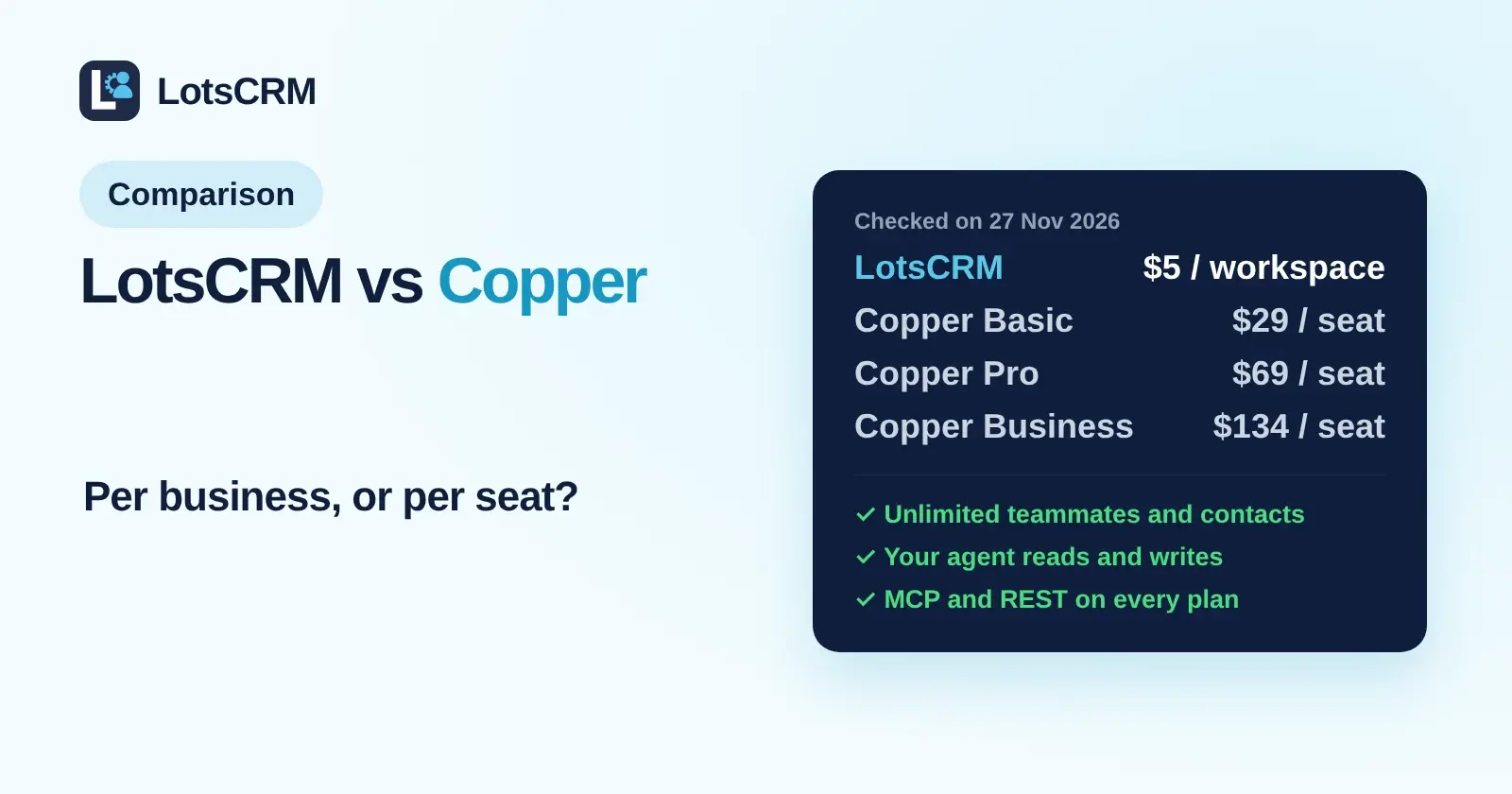
The main difference between LotsCRM and Copper is how you work in them and what you pay for. Copper is a CRM built to live inside Google Workspace, priced per seat: $29 a user a month on Basic ($23 billed annually), $69 on Professional ($59) and $134 on Business ($99). LotsCRM is priced per business: $5 a workspace a month with unlimited teammates, and your AI agent in Claude, ChatGPT, Claude Code, Codex or Cursor can read and write your whole sales book on every plan.
I'm Sivaguru, and I built LotsCRM. If you're a founder, consultant or small team that wants Claude or ChatGPT to log calls, add leads, move deals and line up follow-ups for you, without paying for every new person, LotsCRM is the better fit. If your whole day runs in Gmail and Google Calendar and you want the CRM sitting right inside your inbox, with projects and email campaigns in the same tool, look at Copper.
Everything about Copper below comes from its own pricing page, home page, MCP page and the Copper GPT help article, all checked on 27 November 2026 (USD prices). Links are at the end. In LotsCRM a "workspace" is one business's sales book, or one client's.
LotsCRM vs Copper at a glance
| LotsCRM | Copper | |
|---|---|---|
| Built for | Founders, consultants and small teams that want a CRM that's easy to keep up to date, in the dashboard or from their AI agent | Relationship-focused service businesses that run their day in Gmail and Google Calendar |
| What you pay for | Workspaces (one per business or client): $5 a month pay as you go, or $12 a month for 3 workspaces, $29 for 10, $79 for 30 | Seats: Basic $29, Professional $69, Business $134 a user a month ($23, $59, $99 billed annually) |
| Team members | Unlimited and free on every plan and on pay as you go | Each person is a paid seat |
| Contacts | Unlimited on every option | 2,500 on Basic, 15,000 on Professional, unlimited on Business |
| Custom fields | Custom fields on contacts, companies and deals | 25 on Basic, 50 on Professional, unlimited on Business |
| AI agent access | MCP server and REST API on every plan and on pay as you go | Copper GPT in ChatGPT on all plans, read only, needs a paid ChatGPT plan; Copper MCP for Claude listed as coming soon, beta launching November 2026, read only |
| What the agent can change | Creates and updates contacts, companies, deals, follow-ups and activities; imports up to 100 rows in one call; invites teammates | Nothing: Copper says Copper GPT can't create, edit or delete, and the MCP beta is read only on purpose |
| Developer API | REST API on every plan | API and embedded integration SDK from Professional up |
| Inside Gmail | No; you log email from your agent or the dashboard | Chrome extension in Gmail and Google Calendar, with email, contact, file and calendar sync |
| Projects | Not built in; LotsCRM is a sales CRM | Project pipelines on every plan |
| Email sending | Your agent drafts, you send with your own tools | Templates on every plan; bulk email from Professional, email series on Business |
| Free start | Free credits, no card | 14-day free trial, no card |
Where LotsCRM is the better choice
Your AI agent can actually do the work
This is the biggest gap between the two right now. Copper's AI access is read only by design. Its help article for Copper GPT says it "can only read your data; it cannot create, edit, or delete anything in your account," even though ChatGPT's sign-in screen says "read and modify." It also can't see the body of your emails, only the sender, recipients, subject and time, so it can't use your email history when drafting. Copper's own MCP server for Claude is on a "coming soon" page with a waitlist: the beta launches in November 2026, Claude is the one assistant supported during the beta, and Copper's answer to "Can Claude change or delete my Copper data?" is "No. It's read-only on purpose." Write access is planned for after the beta, and Copper says it will share the price at public release.
That's fine if all you want is answers about your pipeline. But the reason most founders connect an agent to a CRM is to stop typing into it. LotsCRM's MCP server reads and writes, and I built it so the agent keeps the record clean:
- It reads before it writes.
get_crm_briefinggives the agent your role, the pipeline, today's priorities and your business context before it touches anything. - Imports don't duplicate.
bulk_upsert_prospectstakes 1 to 100 rows in one call, deduplicates by email, and uses an idempotency key, so a retried import never creates twins. - Deals don't get overwritten.
update_dealandmove_dealcarry the deal's version. If a teammate changed the deal in the meantime, the agent reads it again instead of overwriting their work. - Calls and meetings get logged in plain words. Tell Claude "I just spoke to Priya at Acme, she wants a proposal by Friday," and it records the activity with
record_activityand sets the follow-up withcreate_follow_up. I walk through a real run in how to log every sales call without typing. - It brings in your team. Ask the agent to invite a teammate or a client and it calls
invite_memberwith the role you choose, from admin down to viewer. - Nothing is hard-deleted. Archive tools are recoverable and keep the history.
The server is https://api.lotscrm.com/mcp, and you sign in with your Lots account, no API key needed. It works in Claude, ChatGPT, Claude Code, Codex, Cursor and any agent that supports remote MCP; the setup page has steps for each. If you live in ChatGPT, read what ChatGPT can do in each CRM's connector, and for Claude, see Claude CRM integration.
You pay for the business, not the people in it
Copper's three plans are all priced per seat, per month. Add a salesperson, a project manager or an assistant and that's another seat, every month. LotsCRM bills the workspace, and contacts, companies, deals, pipelines and team members inside it are unlimited.
Here's what one business costs as the team grows, at list prices checked on 27 November 2026:
| People on the team | LotsCRM (one workspace, pay as you go) | Copper Basic (billed annually) | Copper Professional (billed annually) |
|---|---|---|---|
| 1 | $5 | $23 | $59 |
| 3 | $5 | $69 | $177 |
| 10 | $5 | $230 | $590 |
Professional is the Copper plan that adds integrations like Slack, Mailchimp and QuickBooks, workflow automation, reporting, bulk email and the developer API, so for a lot of teams it's the realistic comparison. Billed monthly, Copper Basic is $29 a seat, so a team of three is $87 a month.
If you run more than one business, LotsCRM Starter is $12 a month for 3 workspaces ($120 a year), Pro is $29 a month for 10 ($290 a year) and Business is $79 a month for 30 ($790 a year), with the same unlimited team in each. Pro and Business also include LotsNotes Pro, where your agents read your business context from. The full breakdown is in LotsCRM pricing explained.
No contact cap
Copper's Basic plan caps you at 2,500 contacts and Professional at 15,000; unlimited contacts come with Business at $99 a seat billed annually. LotsCRM has no contact limit on any plan or on pay as you go. If you import a list of prospects from an event or a spreadsheet, you don't have to check which plan you're on first. Moving over from a spreadsheet or another CRM is covered in how to move to LotsCRM with a CSV import.
One sales book per business or client
Consultants and small agencies rarely sell for just one company. In LotsCRM each client gets its own workspace under one plan: separate contacts, pipelines, deals, activity and members, with nothing shared between them. Invite a client's staff as viewers so they can see their pipeline without editing it, at no extra cost because teammates are free. More on that setup in the best CRMs for agencies. In Copper, every person you add to the account is another paid seat, and restricting who sees which records ("team permissions") starts on Professional.
Your agent drafts, you send
LotsCRM is the record, not the sender. When you want a follow-up, prepare_follow_up drafts it from the deal history and your business facts, and it won't draft for contacts marked opted out or do not contact. You send it with the email tool you already use, and the agent logs it. LotsCRM itself never emails your contacts; it sends team invitations and notices to teammates, nothing else. If you want to see how that works in practice, read follow-up email after a sales call.
Your data stays readable
If a LotsCRM workspace isn't funded, it turns read only: you can still open and export everything, and nothing is deleted. Fund it again and writes come back.
What Copper offers
Copper is a well-established CRM, and its strengths are real:
- It lives in Gmail and Google Calendar. The Chrome extension brings Copper into your inbox and calendar, with Gmail email, contact and file sync, Google Calendar sync, Google Contact sync and Google Drive links on every plan. Google Sheets and Looker Studio sync come with Professional. If your team already runs on Google Workspace, there's very little to set up.
- Projects next to the pipeline. You can turn a won deal into a project and run delivery in project pipelines, on every plan.
- Email tools. Templates and merge fields on every plan; bulk email, email automation, open tracking and an AI email template generator and rewriter from Professional; click tracking and email series on Business.
- Mobile apps. iOS and Android apps, which Copper says log calls and SMS automatically.
- Integrations. LinkedIn and Zapier on every plan, and Slack, Mailchimp, QuickBooks, DocuSign, PandaDoc, JustCall, RingCentral and Zendesk from Professional up.
- Reporting and admin. Activity and pipeline reports from Professional; custom reports, multi-currency and Okta single sign-on on Business.
- Copper GPT in ChatGPT. On all Copper plans, for anyone on a paid ChatGPT plan, you can ask questions about your leads, people, companies, pipeline records, tasks and activities.
- A 14-day free trial, no credit card required.
Which one should you choose?
Choose LotsCRM if:
- You want your AI agent to add leads, log calls, move deals and set follow-ups, not just read them back to you.
- You want to pay for the business, not the headcount, and never think about a contact cap.
- You run sales for more than one business or client and want each one in its own workspace under one plan.
- You send email from your own tools and want the CRM to record it, not send it.
Choose Copper if:
- Your team lives in Gmail and Google Calendar and you want the CRM inside them.
- You run client projects as well as a sales pipeline and want both in one place.
- You want bulk email, email series and email tracking built into your CRM.
- Per-seat pricing suits your team, and read-only AI answers in ChatGPT are enough for now.
Move from Copper with your agent
Export your people, companies and opportunities from Copper as CSV files (data import and export is on every Copper plan), then import them in the LotsCRM dashboard, or hand the files to your agent. Connect LotsCRM's MCP server at https://api.lotscrm.com/mcp in Claude or ChatGPT and give it this:
Read https://lotscrm.com/skill.md. In my LotsCRM workspace "Acme", create a pipeline with the same stages as my Copper sales pipeline. From the people CSV I'm attaching, add contacts with bulk_upsert_prospects (source: copper), keeping their tags. For each open opportunity in the opportunities CSV, create a deal in the matching stage with create_deal, and log its latest note with record_activity. Then invite sam@acme.com as a member with invite_member. Show me the plan and wait for my yes before you write anything.
That uses create_pipeline, bulk_upsert_prospects, create_deal, record_activity and invite_member, and the import is safe to retry. New accounts get free credits with no card, enough to start one workspace. See pricing, or compare LotsCRM with other CRMs. Weighing a CRM with its own marketing tools too? Read LotsCRM vs HubSpot.
Common questions
Is LotsCRM a good Copper CRM alternative?
Yes, if you want your AI agent to keep your pipeline, contacts and follow-ups current, priced per business instead of per seat. LotsCRM is a flat rate a workspace a month with unlimited teammates and contacts. It doesn't sit inside Gmail or run projects the way Copper does.
How much does Copper CRM cost?
On 27 November 2026 Copper's pricing page listed Basic at $29, Professional at $69 and Business at $134 a seat a month, or $23, $59 and $99 a seat a month billed annually, in USD before taxes. Every plan starts with a 14-day free trial and no credit card.
Does Copper CRM have an MCP server for Claude?
It's announced, not generally available. On 27 November 2026 Copper's MCP page said "coming soon," with a beta launching in November 2026 for Claude only, through a waitlist. The beta is read only, and Copper will share pricing and general availability at public release.
Can Copper GPT update my CRM records?
No. Copper's help article says Copper GPT can only read your data and cannot create, edit or delete anything, and it can't see the body of your emails. It needs a paid ChatGPT plan. LotsCRM's agent access reads and writes: it adds contacts, moves deals, logs activities and sets follow-ups.
Does LotsCRM charge per user like Copper?
No. LotsCRM charges for the workspace, which is one business's or one client's sales book. Teammates inside it are unlimited and free on every plan and on pay as you go. Copper charges per seat, so the bill grows every time you add someone.
Sources
Copper, checked on 27 November 2026: pricing (USD, monthly and annual prices, contact and custom field limits, feature comparison by plan), home page and FAQ (Google Workspace, projects, mobile app, integrations), Copper MCP for Claude (coming soon, beta, read only), Add the Copper GPT to your ChatGPT account (read only, paid ChatGPT plan, no email bodies). LotsCRM: pricing, MCP setup, agent skill, tool list.