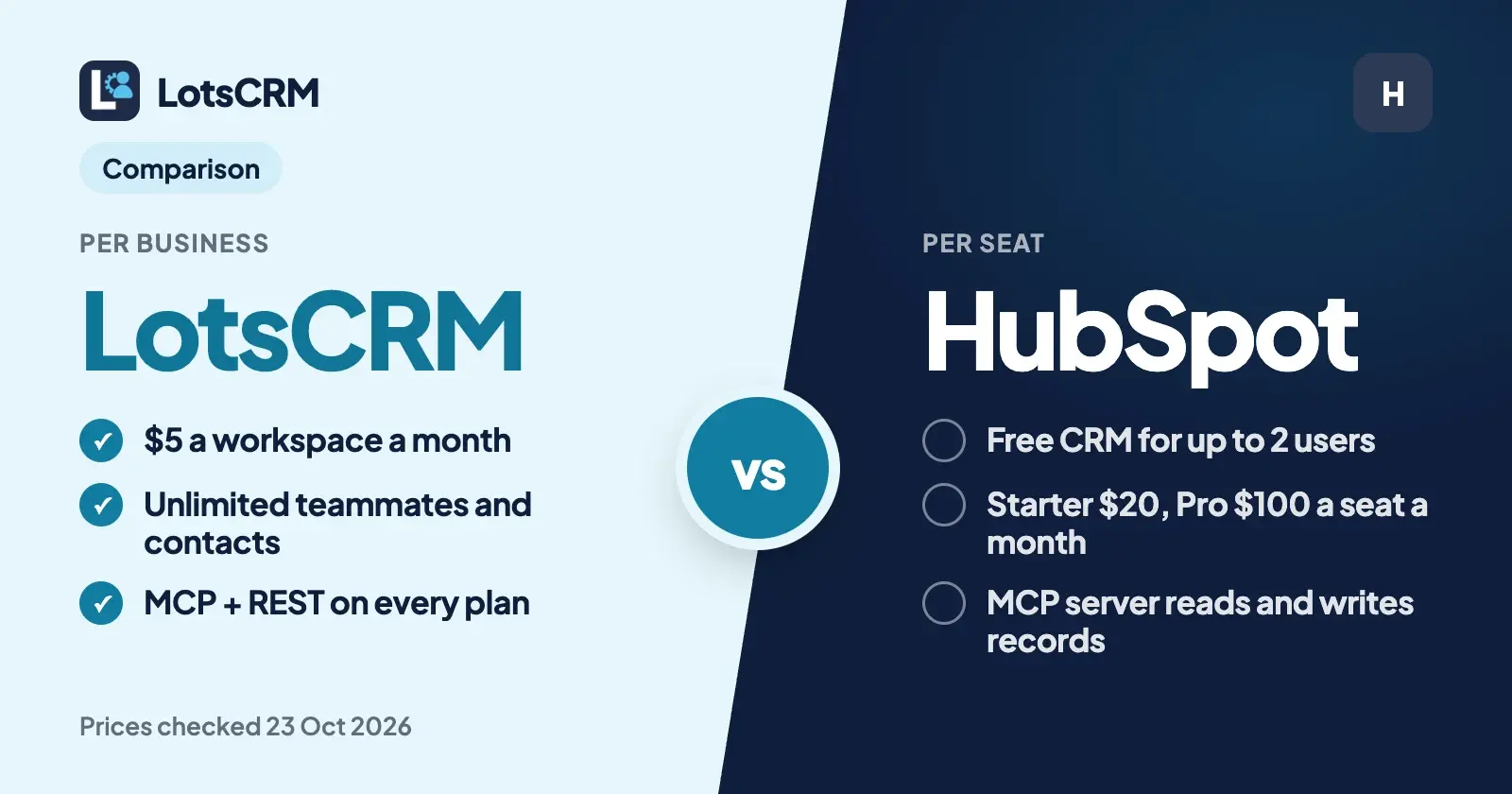
The main difference between LotsCRM and HubSpot is what you pay for. LotsCRM charges per business: $5 a workspace a month, with unlimited teammates, contacts and deals. HubSpot is a full suite priced per seat, with a free CRM for up to 2 users. Both connect to ChatGPT and Claude, and both let the agent create and update records.
If you're a founder, a consultant or a small agency that wants every lead, call and follow-up in one place, kept current in the dashboard or by ChatGPT, Claude or Claude Code, LotsCRM is the better fit, and the gap grows with every person and every client you add. If you want marketing, sales and service on one platform, with email tracking, sequences and thousands of apps, HubSpot is the stronger suite.
Everything about HubSpot below comes from its own pricing pages, product catalog, knowledge base and developer docs, checked on 23 October 2026 (USD list prices), with links at the end. In LotsCRM a "workspace" is one business's sales book, or one client's.
LotsCRM vs HubSpot at a glance
| LotsCRM | HubSpot | |
|---|---|---|
| Built for | Founders, consultants and small agencies that want a CRM that's easy to keep up to date, in the dashboard or from ChatGPT or Claude | Companies that want marketing, sales, service and content tools on one CRM platform |
| What you pay for | Workspaces (one per business or client): $5 each a month, or $12 a month for 3, $29 for 10, $79 for 30 | Seats: Free for up to 2 users; Starter $20 a seat a month; Sales Hub Professional $100 and Enterprise $150 a Sales Seat a month (catalog list prices) |
| Setup fees | None | Required one-time onboarding: $1,500 for Professional, $3,500 for Enterprise |
| Team members | Unlimited and free on every plan and on pay as you go | Paid per seat; view-only seats are free |
| Contacts and deals | Unlimited contacts, companies, deals and pipelines | Free CRM page: up to 2 users and 1,000 contacts; custom pipelines need a paid plan |
| Agent access | MCP server and REST API on every plan and on pay as you go | Remote MCP server, plus connectors for Claude, ChatGPT, Microsoft Copilot and Gemini; the Claude and ChatGPT connectors are on all HubSpot plans, including Free |
| What the agent can change | Create and update contacts, companies, deals, pipelines, activities and follow-ups; archive (recoverable); invite and manage teammates | View, create and update records and activities; no delete; bulk writes 10 records at a time through the connectors |
| Your agent drafts, you send with your own tools; LotsCRM logs every message | Email tracking, templates and scheduling in the free CRM; sequences and more in paid Sales Hub | |
| Built-in AI | None inside the CRM: you bring the agent you already use | Breeze Assistant in the free CRM; AI agents paid with HubSpot Credits |
| Free start | 5,000 free credits, valid 90 days, no card | Free CRM, no card, no expiry |
Where LotsCRM is the better choice
You pay for businesses, not seats
HubSpot's paid plans are priced per seat. Its product catalog lists a Starter Core Seat at $20 a month, and a Sales Seat at $100 a month on Professional and $150 on Enterprise. Professional and Enterprise also carry a required one-time onboarding fee of $1,500 and $3,500.
LotsCRM bills the workspace. Contacts, companies, deals, pipelines and team members inside it are unlimited. Here is what one business costs per month as the team grows, at list prices on 23 October 2026:
| People in the CRM | LotsCRM (one workspace, pay as you go) | HubSpot Starter | HubSpot Sales Hub Professional |
|---|---|---|---|
| 3 | $5 | $60 | $300, plus $1,500 onboarding |
| 5 | $5 | $100 | $500, plus $1,500 onboarding |
| 10 | $5 | $200 | $1,000, plus $1,500 onboarding |
| 25 | $5 | $500 | $2,500, plus $1,500 onboarding |
HubSpot's paid plans include a lot that LotsCRM doesn't (email tools, sequences, reporting, marketing and service hubs), so this compares the pricing model, not identical scope. HubSpot's free CRM covers up to 2 users, so a pair can start there at $0.
If you run more than one business, LotsCRM Starter is $12 a month for 3 workspaces ($120 a year), Pro is $29 for 10 and Business is $79 for 30, with the same unlimited team on each. Pro and Business also include LotsNotes Pro, the place your agents read your business context from. The full breakdown is in LotsCRM pricing explained.
Nothing to outgrow
HubSpot's free CRM page says the free tools cover up to two users and 1,000 contacts, and HubSpot's MCP docs say accounts on free tools can edit the default pipeline but can't create custom pipelines. LotsCRM has one unit, the workspace. Inside it you can add as many contacts, deals, pipelines and teammates as you need, from the first day, without changing plan.
One sales book per client, under one plan
Consultants and agencies rarely sell for one company. In LotsCRM each client gets its own workspace: separate contacts, pipelines, deals, activity and members, with nothing shared between them. Invite a client's staff as viewers so they see their own pipeline without editing it, and it costs nothing because teammates are free. Your agent starts each session with list_workspaces and works only in the one you name. I compared eight CRMs on this in the best CRMs for agencies, and consultants have their own list in the best CRMs for consultants.
Your agent runs the CRM, not just the records
HubSpot's agent access is real and broad. Its remote MCP server at https://mcp.hubspot.com lets an agent read, write and update contacts, companies, deals, tickets and activities as the user would, and its writes reach well beyond the CRM: landing pages, blog posts, campaigns and marketing email drafts. Its record-writing tool shows you a summary of the proposed changes and asks you to confirm. HubSpot's own connectors for Claude, ChatGPT, Microsoft Copilot and Gemini run on that server, and the Claude and ChatGPT connectors are available on every HubSpot plan.
What I built LotsCRM around is the agent doing the daily record-keeping, and the admin around it, without making a mess:
- It reads before it writes.
get_crm_briefingreturns your role, the pipeline, today's priorities and your business context before the agent touches anything. - It brings in your team. Ask your agent to invite a teammate or a client and it calls
invite_memberwith the role you choose, from admin down to viewer.update_memberandremove_memberchange or end access. Teammates are unlimited, so none of this changes your bill. - It sets up the business.
create_workspaceopens a new sales book for a new client, andcreate_pipelinegives it its own stages, on every plan. - Imports don't duplicate.
bulk_upsert_prospectstakes 1 to 100 rows at once, deduplicates by email and uses an idempotency key, so a retried import never creates twins. - Deals don't get overwritten.
update_dealcarries the deal's version; if someone changed it in the meantime, the agent reads again instead of overwriting.move_dealkeeps the stage history, and a lost deal needs a reason. - Nothing is hard-deleted. Archive tools are recoverable and keep the history.
Every change shows up in the dashboard: contacts, the pipeline and the Today view. The agent works within your workspace role. The setup page covers Claude, ChatGPT, Claude Code, Codex and Cursor, and what your agent can and can't do is written down in full.
Your agent drafts, you send
LotsCRM is the record, not the sender. When you want a follow-up, prepare_follow_up gives your agent the deal history and your business facts, and refuses to draft for opted-out or do-not-contact records. You send it with the email or chat tool you already use, and the agent logs it with record_activity. Nothing goes to a contact by itself.
Your data stays readable
If a LotsCRM workspace isn't funded, it turns read-only: you can still read and export everything, and nothing is deleted. Pay again and writes come back.
What HubSpot offers
HubSpot is one of the most complete CRM platforms there is, and its strengths are real:
- A free CRM with no expiry. Contact, deal and task management, email tracking and templates, meeting scheduling, live chat, quotes, reporting dashboards and Breeze Assistant, free for up to 2 users with no card.
- One platform for every team. Marketing, sales, service, content and data hubs share the same CRM.
- Sales tools that scale. Sequences, forecasting and coaching in paid Sales Hub, with phone and email support on Professional and Enterprise.
- A large app marketplace. Over 2,000 apps and integrations.
- Broad agent access. Its MCP server reads CRM records, activities, conversations and marketing data, and writes records, pipelines, properties, segments, campaigns and pages. The Claude and ChatGPT connectors show proposed changes before they run, and every action appears in HubSpot's audit log.
- Built-in AI agents. Customer, prospecting and data agents run on HubSpot Credits; paid Sales Hub plans include 500, 3,000 or 5,000 credits a month.
Which one should you choose?
Choose LotsCRM if:
- You're a founder, consultant or small agency and you want to pay for businesses, not seats.
- You run sales for more than one business or client and want each one in its own workspace under one plan.
- You want unlimited contacts, deals, pipelines and teammates without moving up a tier.
- You work in ChatGPT, Claude or Claude Code and want the agent to keep the CRM current, and run the team, while you review it in the dashboard.
Choose HubSpot if:
- You want marketing, sales and service on one platform.
- You want email tracking, sequences and forecasting built into the CRM.
- You rely on apps from a large marketplace.
- You're two people or fewer and HubSpot's free CRM limits fit you.
Move from HubSpot with your agent
LotsCRM works with the AI agent you already use. Connect both MCP servers in the same agent: HubSpot's connector, and LotsCRM's server at https://api.lotscrm.com/mcp, where you sign in with your Lots account, no key needed. Then give it this:
Read https://lotscrm.com/skill.md. In LotsCRM, create a workspace called "Acme" and a pipeline with the same stages as my HubSpot sales pipeline. Read my HubSpot contacts and add them with bulk_upsert_prospects (source: hubspot), keeping their job titles, companies and lifecycle stage as a tag. For each open HubSpot deal, create a deal in the matching stage with create_deal, and log the latest note on each one with record_activity. Then invite sam@example.com as a member with invite_member. Show me the list and wait for my yes before you write anything.
That uses create_workspace, create_pipeline, bulk_upsert_prospects, create_deal, record_activity and invite_member, and the import is safe to retry. HubSpot's connector only reads here, so nothing changes in HubSpot. If you'd rather move a spreadsheet, export a CSV from HubSpot and import it in the LotsCRM dashboard: the steps are in how to move from HubSpot or a spreadsheet to LotsCRM.
New accounts start with 5,000 free credits, valid 90 days, no card, which covers one workspace for about a month. See pricing, or compare LotsCRM with other CRMs. Still weighing options? Read HubSpot alternatives for small teams.
Common questions
Is LotsCRM a good HubSpot alternative?
Yes, if you want a pipeline, contacts, follow-ups and an AI agent that keeps them current, priced per business instead of per seat. LotsCRM is $5 a workspace a month with unlimited teammates, contacts and deals. It doesn't include HubSpot's marketing and service hubs, email tracking or sequences.
How much does HubSpot cost?
On 23 October 2026 HubSpot's free CRM was $0 for up to 2 users. Its product catalog listed a Starter seat at $20 a month and a Sales Seat at $100 a month on Professional and $150 on Enterprise. Professional and Enterprise also have a required one-time onboarding fee of $1,500 and $3,500.
Is HubSpot's MCP server read-only?
No. HubSpot's developer docs say its remote MCP server lets an agent read, write and update records such as contacts, companies, deals and tickets, log activities, and manage pipelines, properties, segments, campaigns and pages. Its Claude and ChatGPT connectors can view, create and update records but not delete them, and they show you proposed changes before they run.
Does HubSpot's free CRM work with ChatGPT and Claude?
Yes. HubSpot's connectors for Claude and ChatGPT are available on all HubSpot plans, including Free. HubSpot's free CRM page says they need a paid Claude or ChatGPT subscription. On free tools, the agent can edit the default pipeline but can't create custom pipelines.
Can my AI agent invite teammates to LotsCRM?
Yes. Ask your agent and it calls invite_member with the role you pick, from admin down to viewer. The person gets an email link and joins with that role. An owner or admin can do this, and teammates are unlimited and free on every plan.
Can my AI agent move my data from HubSpot to LotsCRM?
Yes. Connect HubSpot's connector and LotsCRM's MCP server in the same agent, ask it to read your HubSpot contacts and deals, and it can recreate them in LotsCRM with create_pipeline, bulk_upsert_prospects, create_deal and record_activity. Ask it to show you the list before it writes.
Sources
HubSpot, checked on 23 October 2026: Sales Hub pricing (Free for up to 2 users, onboarding fees, included HubSpot Credits; promotional new-customer prices not quoted), product and services catalog (seat list prices, free view-only seats), free CRM (features, users and contacts, connectors), HubSpot MCP server, integrate with the remote HubSpot MCP server (read and write access, tools, free-tools pipeline limit), HubSpot connector for Claude and HubSpot connector for ChatGPT (all plans, view, create and update, no delete, 10 records per bulk write). LotsCRM: pricing, MCP setup, agent skill, tool list, API docs.