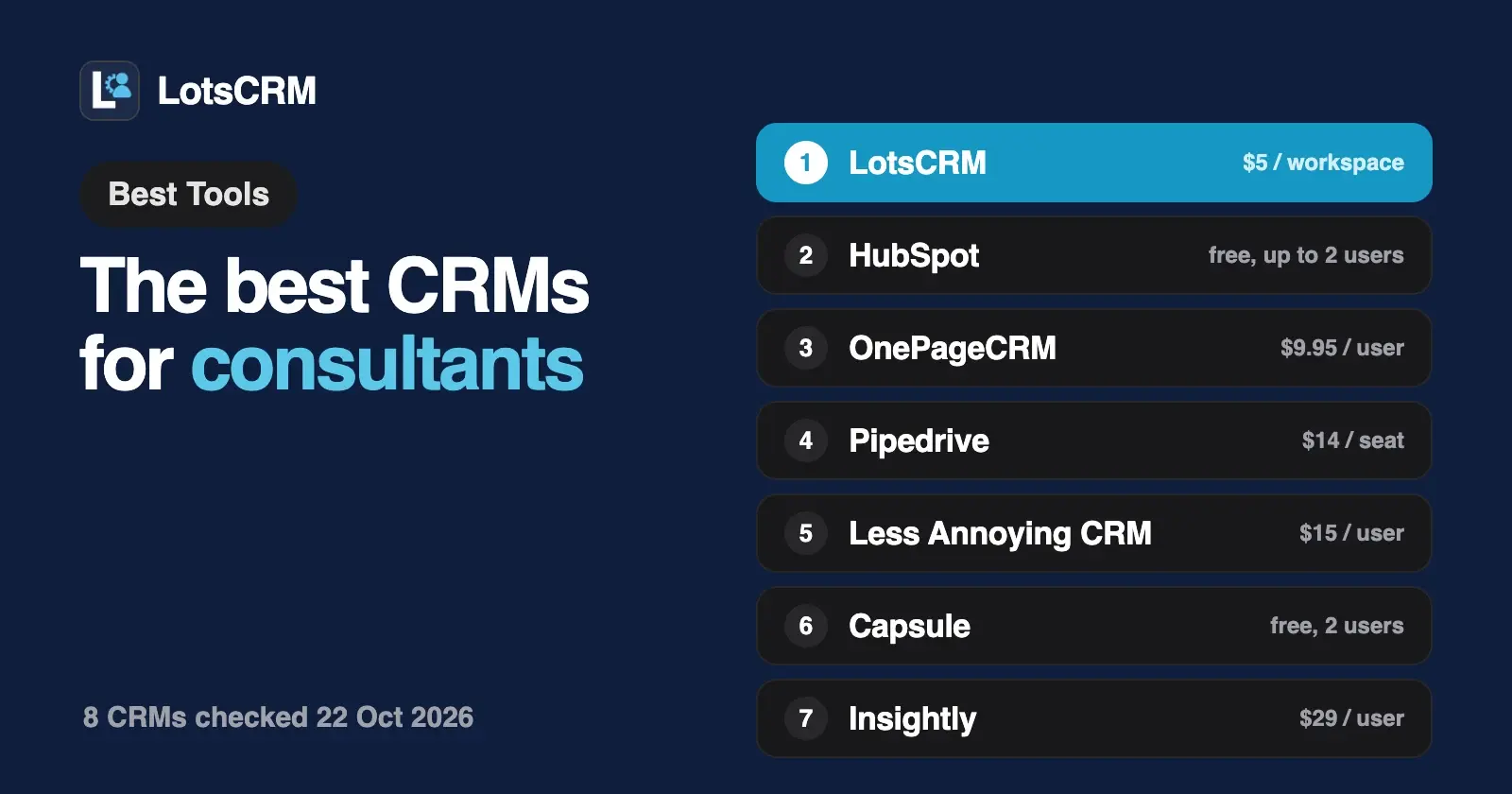
The best CRM for a consultant remembers every conversation, tells you who is due a follow-up, and doesn't charge you more when an associate or a client needs access. LotsCRM does that from $5 a month for one workspace, with teammates unlimited and free. OnePageCRM suits follow-up discipline, and Capsule or Insightly suit consultants who want projects next to sales.
Below are eight CRMs consultants use, LotsCRM first, compared on what matters when you sell your own time: how well each one keeps relationships and follow-ups straight, what you pay when you work alone and when you bring in help, whether it can track delivery after the deal is won, and whether ChatGPT or Claude can work in it. Every competitor fact comes from the vendor's own pricing, help and developer pages, checked on 22 October 2026.
The best CRMs for consultants at a glance
| CRM | What you pay for | Price (list) | Free or trial | ChatGPT or Claude access |
|---|---|---|---|---|
| LotsCRM | Each workspace (your practice, or a client you sell for); teammates unlimited | $5 per workspace a month, or $12/month for 3 workspaces, $29 for 10, $79 for 30 | 5,000 free credits, valid 90 days, no card | Official MCP server and REST API on every plan |
| HubSpot | Each seat | Free for up to 2 users; Starter $20, Professional $100, Enterprise $150 a seat a month | Free plan | Official ChatGPT and Claude connectors on its remote MCP server, which reads and writes records |
| Pipedrive | Each seat | $14, $39, $59, $79 a seat a month billed annually | Not compared | Official MCP server on every plan, within token limits |
| OnePageCRM | Each user | $9.95, $19.95, $29.95 a user a month billed annually ($15, $29, $45 monthly) | 21-day trial, no card | Official MCP server on every plan and the trial; listed in the ChatGPT and Claude connector directories |
| Less Annoying CRM | Each user | $15 a user a month, one plan | 30-day trial, no card | Through AppConnect, a third-party connector on its integrations page |
| Capsule | Each user | Free for 2 users; $18, $36, $54 a user a month billed annually | Free plan (250 contacts); 14-day trial | ChatGPT and Claude connectors on Growth and up; Claude in beta by request |
| folk | Each member | $24, $48, from $80 a member a month billed yearly ($30, $60, from $100 monthly) | 2-week trial | Official MCP server with read and write, listed on all three plans |
| Insightly | Each user | $29, $49, $99 a user a month billed annually | 14-day trial | Native MCP server included with every CRM plan |
Prices are list prices in USD, checked on each vendor's own pages on 22 October 2026, before tax or VAT.
What a consultant needs from a CRM
A consulting practice isn't a sales team. You might have 30 live relationships, a handful of proposals out, and a referral that turns into a project six months after the first coffee. The CRM problems look like this:
- Conversations you can't find. The discovery call notes are in a notebook, the proposal is in email, and the follow-up you promised lives in your head. A CRM earns its keep by holding all of it on one record.
- Follow-ups that slip. Most consulting work comes from people who said "not now". The CRM has to tell you who is due a nudge this week, not just store names.
- Pricing built for sales floors. Per-seat CRMs are fine for one person. They get expensive when an associate, a subcontractor or a virtual assistant needs a login, and some charge for features a solo practice never uses.
- Life after the win. Some consultants want delivery in the same tool. Others already run projects elsewhere and just need the pipeline.
So the questions below are: does it keep the relationship history and the next step in front of you, what does it cost at one person and at three, and does it cover delivery if you want that.
1. LotsCRM: the CRM that's easy to keep up to date, priced per business
LotsCRM is the CRM that's easy to keep up to date: every lead, call, deal and follow-up in one place, kept current by you in the dashboard or by ChatGPT or Claude. For a consultant, the pieces that matter are:
Every conversation on the record. Each contact has a timeline of calls, meetings, emails, messages and notes. New leads start as "Not contacted", so you can see who still needs a first touch, and tags group people by event, referrer or campaign. The Today view shows follow-ups due or overdue and deals that have gone quiet.
Your agent does the typing. LotsCRM works with the AI agent you already use. Connect ChatGPT, Claude, Claude Code, Codex or Cursor to https://api.lotscrm.com/mcp, sign in, and talk to it right after the call:
Log my discovery call with Dana at example.com: budget approved, wants a proposal by Friday. Move the deal to Proposal and remind me Thursday morning.
Add the 12 people I met at the workshop and tag them "Oct workshop".
Who have I not followed up with in 30 days, and which proposals are still open?
The agent works with your permissions, and it never sends anything: LotsCRM keeps the record, and you send from your own email or LinkedIn. Everything it writes shows up in the dashboard, where you can do the same work by hand.
A price that doesn't grow with people. You pay per workspace. Contacts, deals, pipelines and teammates are unlimited.
| Option | Price | Workspaces |
|---|---|---|
| Pay as you go | $5 per workspace a month, from credits | As many as you fund |
| Starter | $12 a month or $120 a year | 3 |
| Pro | $29 a month or $290 a year | 10 |
| Business | $79 a month or $790 a year | 30 |
A solo practice needs one workspace, so pay as you go covers it. An associate or assistant joins free. If you also sell on behalf of clients, as a fractional sales lead or business development consultant, give each client their own workspace so records, pipelines and members never mix, and invite the client's team as viewers: read only and free. Pro and Business include LotsNotes Pro. New accounts get 5,000 free credits, valid 90 days, no card.
Your data stays yours. CSV import and export are built in. If a workspace goes unfunded, it turns read-only: you can still read and export everything, and nothing is deleted. More in Is LotsCRM Safe?.
Where others fit better. LotsCRM doesn't sync your inbox, send email sequences or track project delivery. If you want delivery boards next to your pipeline, look at Capsule or Insightly below.
Best for: consultants who want every relationship and follow-up in one place, kept current from ChatGPT or Claude or the dashboard, at one price for the practice. LotsCRM for consultants · Pricing
2. HubSpot: a free CRM for up to 2 users
HubSpot's free CRM is where many consultants start, and it holds up for a solo practice.
- Free plan: free for up to 2 users, no credit card.
- Paid price: Sales Hub list prices are Starter $20, Professional $100 and Enterprise $150 a seat a month. Professional and Enterprise carry a one-time onboarding fee of $1,500 and $3,500.
- AI access: HubSpot offers its own connectors for Claude, ChatGPT, Microsoft Copilot and Gemini, built on its remote MCP server, which lets an agent read, write and update records as the user would.
- Strength: the wider HubSpot suite. If you later want marketing email, forms or a service desk, they live in the same account.
Best for: solo consultants who want a free start and may grow into HubSpot's marketing tools. If the price of growing worries you, see HubSpot alternatives.
3. Pipedrive: the visual pipeline
Pipedrive is built around the deal board: every opportunity is a card you drag from stage to stage.
- Price: Lite $14, Growth $39, Premium $59 and Ultimate $79 a seat a month, billed annually (one payment of $168, $468, $708 or $948 a seat a year).
- AI access: an official MCP server for ChatGPT and Claude on every plan. Usage has token limits by plan, and you can buy more. The agent can only see and change what your Pipedrive user can, and actions go to the change log.
- Strength: a pipeline view that makes it obvious which proposals are stuck.
Best for: consultants with a steady flow of proposals who think in stages. Compared side by side in LotsCRM vs Pipedrive.
4. OnePageCRM: built around the next action
OnePageCRM is organised around one idea: every contact has a next action, and your list is sorted by what's due.
- Price: Professional $9.95, Business $19.95 and Max $29.95 a user a month billed annually; $15, $29 and $45 billed monthly. Unlimited contacts, deals, fields and tags on every plan. 21-day trial, no card.
- Delivery: Business adds light project management.
- AI access: an MCP server on every plan and on the free trial. OnePageCRM is listed in the ChatGPT and Claude connector directories, and the agent can read and update contacts, deals, notes and follow-ups.
- Strength: follow-up discipline is the product, not a feature.
Best for: consultants whose pipeline lives or dies on follow-ups and who want that habit enforced by the tool.
5. Less Annoying CRM: one simple price
Less Annoying CRM sells one plan with everything in it.
- Price: $15 a user a month plus tax. Unlimited contacts, companies and pipelines, 25 GB of storage per user, task management, email logging and user permissions. 30-day trial, no card.
- AI access: the integrations page features AppConnect, a third-party connector that links Claude and ChatGPT to your CRM through the official API.
- Strength: no tiers to compare, and free phone and email support for everyone.
Best for: consultants who want a calm, simple CRM and are happy to connect their AI assistant through a partner tool.
6. Capsule: sales and project boards in one place
Capsule pairs a sales pipeline with project boards, so a won deal can turn into tracked delivery.
- Free plan: up to 2 users, 250 contacts, one sales pipeline and one project board.
- Paid price: Starter $18, Growth $36 and Advanced $54 a user a month billed annually. 14-day trial, no card.
- AI access: AI connectors for ChatGPT and Claude on Growth, Advanced and Ultimate. The Claude connector is in beta and needs an early-access request. Connected AI can create records but can't delete them.
- Strength: the step from "proposal accepted" to "project running" happens in one tool.
Best for: consultants and small firms who want sales and delivery in the same place.
7. folk: relationships first
folk is a relationship CRM: contacts, groups and pipelines with strong LinkedIn and email capture.
- Price: Standard $24, Premium $48 and Enterprise from $80 a member a month billed yearly; $30, $60 and from $100 billed monthly. Signup starts a 2-week trial with the premium features.
- AI access: a hosted MCP server at
mcp.folk.app/mcpthat connects Claude, ChatGPT, Cursor and others through OAuth, with read and write access like your own account. MCP is listed on all three plans. - Strength: building and working a network, especially from LinkedIn.
Best for: consultants whose work comes from their network and who live on LinkedIn. Compared side by side in LotsCRM vs folk.
8. Insightly: CRM with native project management
Insightly is a broader CRM with project management built in, plus optional marketing and service products.
- Price: Plus $29, Professional $49 and Enterprise $99 a user a month, billed annually. Project management is on Plus. 14-day trial.
- AI access: a native MCP server for Claude, ChatGPT and Microsoft Copilot, which Insightly says is included with every CRM plan.
- Strength: deals and projects in one record, with room to add marketing and service later.
Best for: consulting firms that want a fuller CRM with delivery tracking, and expect to grow into a team.
How to choose a CRM for your consulting practice
- You want every relationship and follow-up in one place, kept current from ChatGPT or Claude or the dashboard, at one price however many people help you: LotsCRM.
- You sell for clients and need each client's pipeline separate: LotsCRM, one workspace per client with free read-only viewers. More in The Best CRMs for Agencies.
- You want to start free and may add marketing tools later: HubSpot.
- You think in deal stages and want a visual board: Pipedrive.
- Follow-up discipline is your weak spot: OnePageCRM.
- You want one plan and no decisions: Less Annoying CRM.
- You want delivery next to sales: Capsule, or Insightly for a fuller CRM.
- Your work comes from your LinkedIn network: folk.
Set up a consulting practice in LotsCRM from your agent
Connect your agent to https://api.lotscrm.com/mcp (setup for each agent at lotscrm.com/mcp), then give it this:
Read https://lotscrm.com/skill.md. Create a LotsCRM workspace called "My practice" with a pipeline for consulting work: Intro call, Discovery, Proposal sent, Won, Lost. Then add the people in this list, tag them "referral", and set a follow-up for each one next week. Show me the list before you add anyone.
The agent uses create_workspace, create_pipeline, bulk_upsert_prospects (up to 100 people at a time, with tags) and create_follow_up. After each call, record_activity logs what was said and move_deal moves the opportunity. You can do all of it in the dashboard too. Coming from a spreadsheet or another CRM? Move to LotsCRM with a CSV import. Founders who sell their own product will find the same routine in Founder-Led Sales With an AI Agent.
Common questions
What is the best CRM for a consultant?
It depends on how you work. If you want every relationship and follow-up in one place, kept current by ChatGPT or Claude or in the dashboard, LotsCRM is $5 a month for one workspace with teammates free. For a free start, HubSpot; for follow-up discipline, OnePageCRM; for projects next to sales, Capsule or Insightly.
Is there a free CRM for consultants?
Yes. HubSpot's CRM is free for up to 2 users, and Capsule's Free plan covers 2 users and 250 contacts. LotsCRM gives new accounts 5,000 free credits, valid 90 days, no card; one workspace costs $5 a month after that.
Do I need a CRM if I'm a solo consultant?
If your work comes from follow-ups and referrals, yes. A CRM holds the history of each relationship and tells you who is due a nudge, which is where solo consultants lose work. It doesn't need to be big: one workspace or one seat is enough.
Which consultant CRM doesn't charge per user?
LotsCRM charges per workspace, with unlimited teammates, so an associate or assistant joins free. HubSpot, Pipedrive, OnePageCRM, Less Annoying CRM, Capsule, folk and Insightly charge per seat, user or member.
Can ChatGPT or Claude update my CRM after a client call?
Yes, in most of these. LotsCRM, HubSpot, Pipedrive, OnePageCRM, folk and Insightly have official MCP servers or connectors; Capsule's are on Growth and up, and Less Annoying CRM works through a third-party connector. In LotsCRM you tell the agent what happened and it logs the call, moves the deal and sets the next follow-up.
Which CRM tracks projects after I win the work?
Capsule has project boards, Insightly has native project management, and OnePageCRM's Business plan adds light project management. LotsCRM tracks the sale, the conversations and the follow-ups, and leaves delivery to the tool you already use for it.
Competitor facts checked on 22 October 2026 on each vendor's own pages: HubSpot Sales Hub pricing, HubSpot product catalogue, HubSpot remote MCP server; Pipedrive pricing and MCP server; OnePageCRM pricing and AI page; Less Annoying CRM pricing and integrations; Capsule pricing and AI connectors; folk pricing and folk MCP help; Insightly pricing and Insightly MCP. LotsCRM prices from the live catalogue the same day. Prices and plans change; check each vendor's page before you buy.