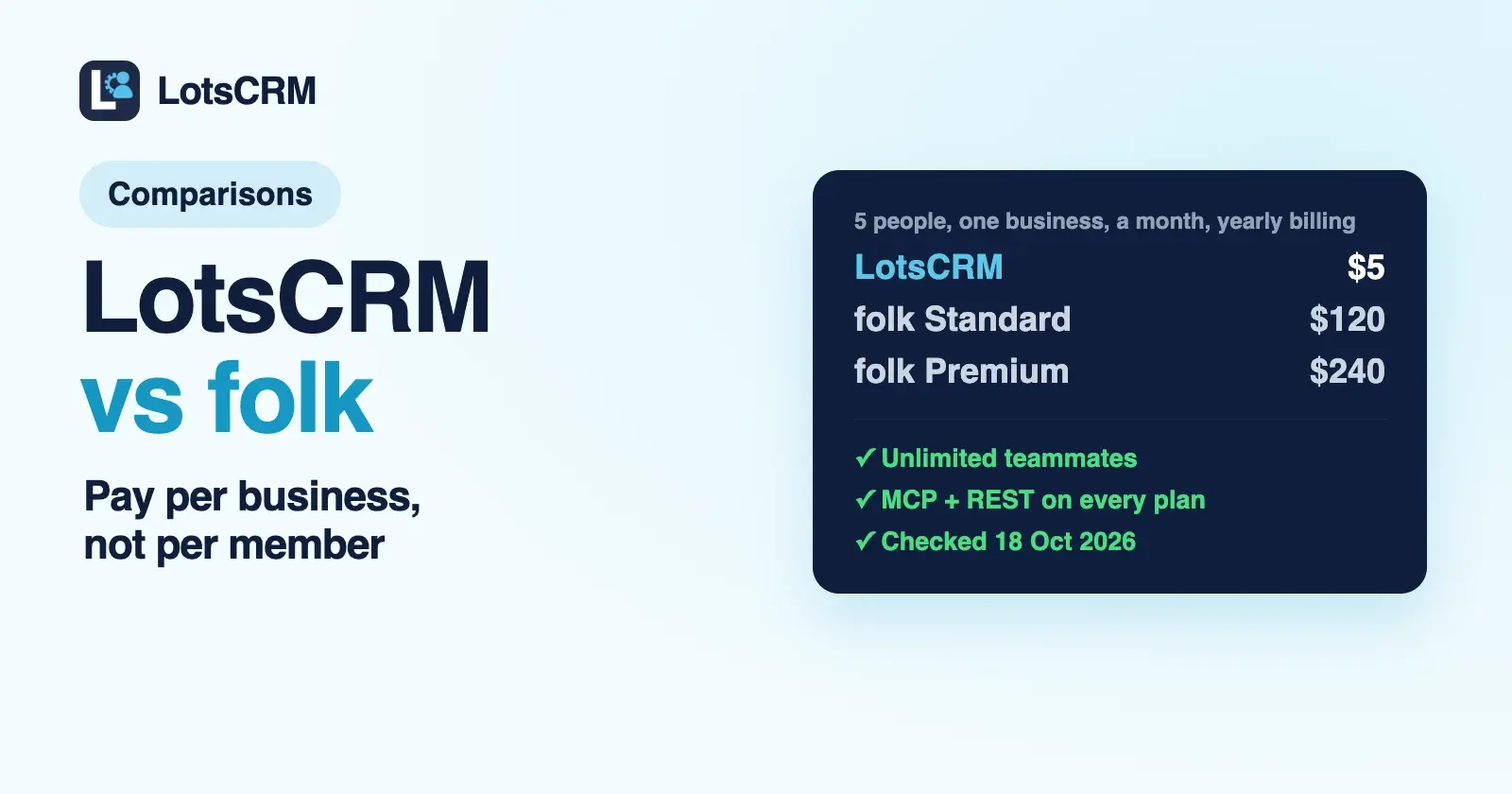
The main difference between LotsCRM and folk is what you pay for. LotsCRM charges per business: $5 a workspace a month, with unlimited teammates. folk charges per member: from $24 a member a month billed yearly ($30 monthly), and deals start on Premium at $48. Both connect to ChatGPT and Claude through an official MCP server on every plan.
If you're a founder, a consultant or a small team that wants every lead and follow-up in one place, kept current by ChatGPT, Claude or Claude Code, LotsCRM is the better fit, and the gap grows with every person and every client you add. If you want the CRM itself to sync your inbox, calendar and WhatsApp, enrich contacts, capture people from LinkedIn and send email campaigns, look at folk.
Everything about folk below comes from its own pricing page, help centre and developer docs, checked on 18 October 2026 (USD prices), with links at the end. In LotsCRM a "workspace" is one business's sales book, or one client's.
LotsCRM vs folk at a glance
| LotsCRM | folk | |
|---|---|---|
| Built for | Founders, consultants and small teams that want a CRM that's easy to keep up to date, in the dashboard or by ChatGPT or Claude | Relationship-led teams that want contacts, enrichment, messaging and AI assistants in one CRM |
| What you pay for | Workspaces (one per business or client): $5 each a month, or $12 a month for 3, $29 for 10, $79 for 30 | Members: Standard $24, Premium $48, Enterprise from $80 a member a month billed yearly ($30, $60, from $100 billed monthly); each workspace is billed separately |
| Team members | Unlimited and free on every plan and on pay as you go | Unlimited, each one a paid member |
| Deals and pipelines | Unlimited deals and custom pipelines on every option | Pipeline management on every plan; custom objects and deals from Premium |
| Agent access | MCP server and REST API on every plan and on pay as you go | MCP server on every plan; REST API, Zapier and Make apps from Premium |
| Agent invites teammates | Yes: invite_member, add_member, update_member and remove_member over MCP | Its MCP tools add existing workspace members to groups and change their group role |
| Email and messaging | Your agent drafts, you send with your own tools; LotsCRM logs every message | Email, calendar and WhatsApp sync, messages and email campaigns on every plan; sequences from Premium |
| Enrichment and LinkedIn | Your agent adds what it researches, deduplicated by email | Contact enrichment (500 email finds a month on Standard) and the folkX Chrome extension for LinkedIn |
| Built-in AI | None inside the CRM: you bring the agent you already use | Research, Workflow, Follow-up and Recap assistants, plus AI magic fields |
| Free start | 5,000 free credits, valid 90 days, no card | 2-week free trial, no card |
Where LotsCRM is the better choice
You pay for businesses, not members
folk's pricing FAQ says the bill is based on the number of members in your workspace, and every new member is added to the next bill. LotsCRM bills the workspace, and contacts, companies, deals, pipelines and team members inside it are unlimited.
Here is what one business costs per month as the team grows, at list prices on 18 October 2026:
| People in the CRM | LotsCRM (one workspace, pay as you go) | folk Standard (billed yearly) | folk Premium (billed yearly) |
|---|---|---|---|
| 1 | $5 | $24 | $48 |
| 2 | $5 | $48 | $96 |
| 5 | $5 | $120 | $240 |
| 10 | $5 | $240 | $480 |
On monthly billing, folk's Standard member is $30 and Premium is $60. folk also syncs your inbox, enriches contacts and runs AI assistants inside the CRM, which LotsCRM doesn't do, so this compares the pricing model, not identical scope. If you want deals as their own records in folk, that's Premium. In LotsCRM, deals on custom pipelines come with every workspace.
If you run more than one business, LotsCRM Starter is $12 a month for 3 workspaces ($120 a year), Pro is $29 for 10 and Business is $79 for 30, with the same unlimited team on each. Pro and Business also include LotsNotes Pro, the place your agents read your business context from. The full breakdown is in LotsCRM pricing explained.
One sales book per business or client
Consultants and small agencies rarely sell for one company. folk lets you belong to several workspaces, and its FAQ says billing is calculated per workspace, so each client's workspace carries its own member bill. In LotsCRM each client gets its own workspace under one plan: separate contacts, pipelines, deals, activity and members, with nothing shared between them. Invite a client's staff as viewers so they see their own pipeline without editing it, and it costs nothing extra because teammates are free. The setup is on the LotsCRM for agencies page.
Your agent keeps the same boundary. It starts each session with list_workspaces, works only in the one you name, and never carries records from one client to another.
Your agent runs the team too
folk's MCP server lets ChatGPT and Claude search people and companies, create and update records, log interactions, add notes and tasks, and move deals, with the same access as your folk account. Agent access alone isn't the difference. What I built LotsCRM around is the agent doing the record-keeping, and the admin around it, every day without making a mess:
- It reads before it writes.
get_crm_briefingreturns your role, the pipeline, today's priorities and your business context before the agent touches anything. - It brings in your team. Ask your agent to invite a teammate or a client and it calls
invite_memberwith the role you choose, from admin down to viewer. Someone who already has a Lots account can be added at once withadd_member, andupdate_memberandremove_memberchange or end access. Teammates are unlimited, so none of this changes your bill. - Imports don't duplicate.
bulk_upsert_prospectstakes 1 to 100 rows, deduplicates by email and uses an idempotency key, so a retried import never creates twins. - Deals don't get overwritten.
update_dealandmove_dealcarry the deal's version; if someone changed it in the meantime, the agent reads again instead of overwriting. A lost deal needs a reason. - Nothing is hard-deleted. Archive tools are recoverable and keep the history. folk's MCP doesn't delete records either, so on this point the two match.
Every change shows up in the dashboard: contacts, the pipeline and the Today view. The agent works within your workspace role. The same contract is open over REST on every plan, where folk's REST API starts on Premium. The setup page covers Claude, ChatGPT, Claude Code, Codex and Cursor. If you work in ChatGPT, read what ChatGPT can do in each CRM's connector, folk included.
Your agent drafts, you send
LotsCRM is the record, not the sender. When you want a follow-up, prepare_follow_up drafts it from the deal history and your business facts, and refuses to draft for opted-out or do-not-contact records. You send it with the email or chat tool you already use, and the agent logs it with record_activity. The only emails LotsCRM itself sends are team invitations and notices to teammates. Nothing goes to a contact by itself, which is the point for founders who sell on relationships.
Your data stays readable
If a LotsCRM workspace isn't funded, it turns read-only: you can still read and export everything, and nothing is deleted. Pay again and writes come back.
What folk offers
folk is a well-made relationship CRM, and its strengths are real:
- Relationship pipelines. People and companies sit in groups with their own views and pipelines, and duplicate contacts auto-merge.
- Enrichment. Find emails and company data from inside the CRM: 500 email finds a month on Standard, 1,000 on Premium, and AI magic fields that fill columns for you.
- LinkedIn capture. The folkX Chrome extension adds people from LinkedIn and other sites in one click, on every plan.
- Email, calendar and WhatsApp sync. Conversations log themselves: one synced account per member on Standard, five on Premium.
- Messaging. Send messages and email campaigns with templates and campaign analytics on every plan; email sequences from Premium.
- AI assistants. A Research Assistant, a Workflow Assistant, a Follow-up Assistant that flags who to get back to, and a Recap Assistant that summarises a relationship.
- Mobile and capture. A mobile app, business card scanning and voice notes, plus phone call recording in beta.
- An official MCP server. It connects through OAuth at
https://mcp.folk.app/mcp, with guides for Claude, Claude Code, ChatGPT and Codex, and a public list of its tools. Bulk tools take up to 100 records a call, and records can't be deleted through it. - A trial with no card. Two weeks of the premium features, and a migration service from Premium.
Which one should you choose?
Choose LotsCRM if:
- You're a founder, consultant or small team and you want to pay for businesses, not members.
- You run sales for more than one business or client and want each one in its own workspace under one plan.
- You work in ChatGPT, Claude or Claude Code and want the agent to keep the CRM current, and invite the team, while you review it in the dashboard.
- You send email from your own tools and want the CRM to record it, not send it.
Choose folk if:
- You want email, calendar and WhatsApp conversations to sync into the CRM on their own.
- You build lists from LinkedIn and want enrichment to find emails for you.
- You want to send campaigns and sequences from the CRM.
- You'd rather have AI assistants built into the CRM than bring your own agent, and per-member pricing fits your team.
Move from folk with your agent
Connect both MCP servers in the same agent and let it carry your contacts and pipeline across. LotsCRM's server is https://api.lotscrm.com/mcp, and you sign in with your Lots account, no key needed. Then give it this:
Read https://lotscrm.com/skill.md. In my LotsCRM workspace "Acme", create a pipeline with the same stages as my main folk pipeline. Read the people in my folk "Sales" group and add them with bulk_upsert_prospects (source: folk), keeping their tags. For each open deal in folk, create a deal in the matching stage with create_deal, and log the latest interaction on each one with record_activity. Then invite sam@acme.com as a member with invite_member. Show me the list and wait for my yes before you write anything.
That uses create_pipeline, bulk_upsert_prospects, create_deal, record_activity and invite_member, and the import is safe to retry. If you'd rather move a spreadsheet, export a CSV from folk and import it in the LotsCRM dashboard. New accounts start with 5,000 free credits, valid 90 days, no card, which covers one workspace for about a month. See pricing, or compare LotsCRM with other CRMs. Weighing a pipeline-first CRM as well? Read LotsCRM vs Pipedrive. Working alone for now? See the best CRMs for solo founders.
Common questions
Is LotsCRM a good folk CRM alternative?
Yes, if you want a pipeline, contacts, follow-ups and an AI agent that keeps them current, priced per business instead of per member. LotsCRM is $5 a workspace a month with unlimited teammates. It doesn't sync your inbox, enrich contacts, capture from LinkedIn or send campaigns the way folk does.
How much does folk CRM cost?
On 18 October 2026 folk's pricing page listed Standard at $24, Premium at $48 and Enterprise from $80 a member a month billed yearly, or $30, $60 and from $100 billed monthly. Deals, sequences, dashboards and the REST API start on Premium. There's a 2-week free trial with no card.
Does folk have an MCP server for ChatGPT and Claude?
Yes. folk's MCP server is ticked on all three plans, connects through OAuth at https://mcp.folk.app/mcp and has setup guides for Claude, Claude Code, ChatGPT and Codex. Your agent gets the same access as your folk account, and records can't be deleted through it.
Does LotsCRM sync email or WhatsApp like folk?
No. LotsCRM records your sales work and never sends emails or messages to contacts. Your agent drafts follow-ups with prepare_follow_up, you send them with the tools you already use, and the agent logs each one with record_activity.
Can my AI agent invite teammates to LotsCRM?
Yes. Ask your agent and it calls invite_member with the role you pick, from admin down to viewer. The person gets an email link and joins with that role. An owner or admin can do this, and teammates are unlimited and free on every plan.
Can my AI agent move my contacts from folk to LotsCRM?
Yes. Connect both MCP servers in the same agent, ask it to read your folk people and deals, and it can recreate them in LotsCRM with create_pipeline, bulk_upsert_prospects, create_deal and record_activity. Ask it to show you the list before it writes.
Sources
folk, checked on 18 October 2026: pricing (USD, yearly and monthly billing, feature table and FAQ), MCP: connect folk to Claude, MCP: connect folk to ChatGPT, folk MCP overview, folk MCP supported tools. LotsCRM: pricing, MCP setup, agent skill, tool list, API docs.