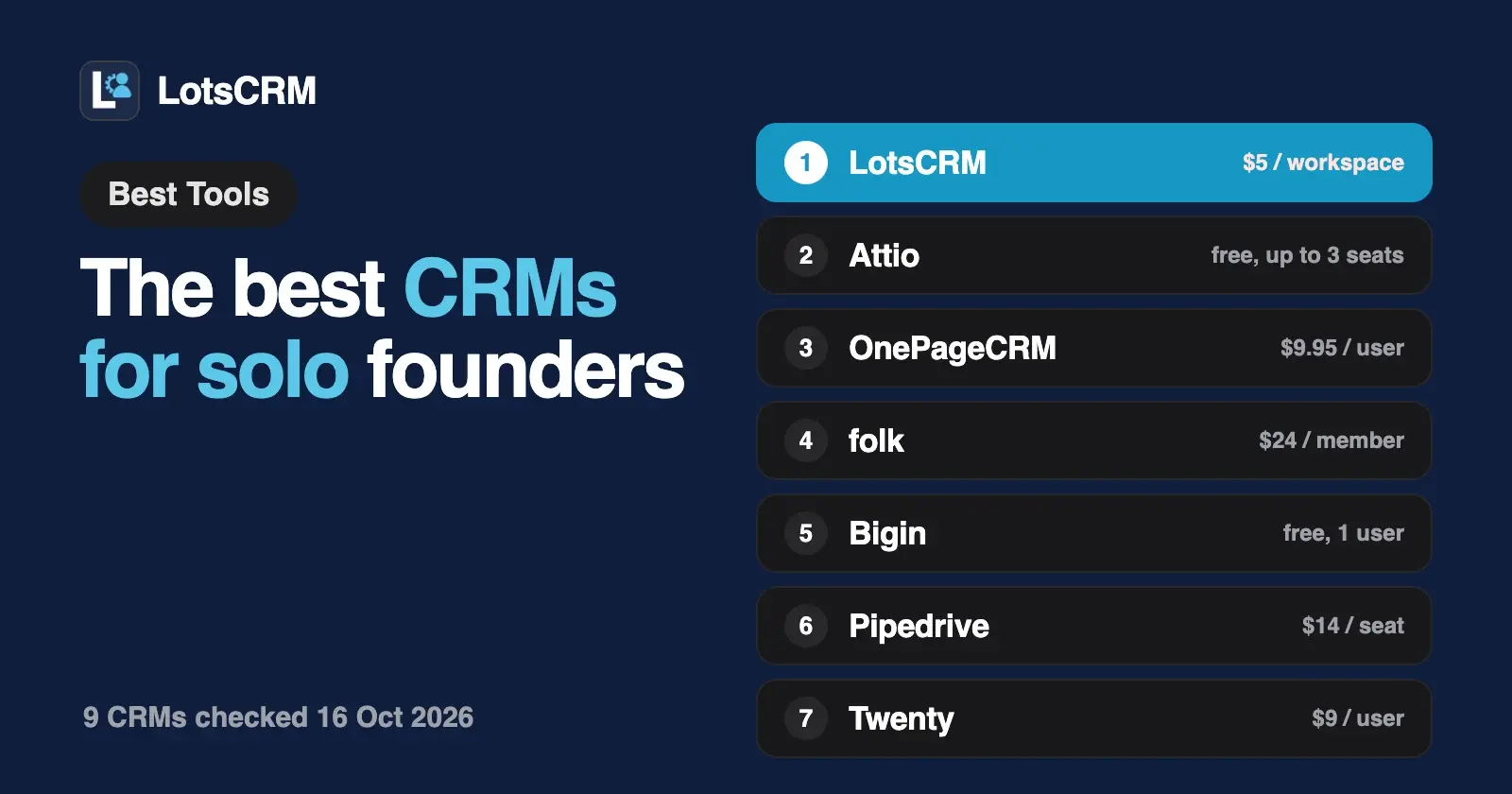
If you're a solo founder who wants every lead and follow-up in one place, start with LotsCRM: $5 a month for one workspace, anyone you hire later joins free, and ChatGPT or Claude can keep it current, adding leads, logging calls and setting follow-ups through MCP. For a free plan, look at Attio or Bigin; for inbox sync, OnePageCRM or folk.
I opened every vendor's own pricing page and MCP or API docs on 16 October 2026 and judged each CRM on what matters when you sell alone: the price for one person, whether there's a free plan, how fast you get going, follow-up reminders, whether your AI agent can work the CRM (and which plan unlocks it), email and calendar sync, and what happens to the bill when you hire. Prices are US dollars before tax. Links to every source are at the end.
The best CRMs for solo founders at a glance
| CRM | Price for one person | Free plan | Follow-up reminders | AI agent access and plan gate | Email and calendar sync | When you hire |
|---|---|---|---|---|---|---|
| LotsCRM | $5 a month (one workspace, pay as you go) | No; 5,000 free credits, valid 90 days, no card | Follow-ups on contacts, companies and deals, in a Today view | MCP and REST on every plan and on pay as you go | No; your agent logs each email, call and meeting | Teammates are free and unlimited |
| Attio | $0 on Free | Yes, up to 3 seats | Tasks | MCP on all four plans, including Free | Yes, 1 account per user on Free | Free up to 3 seats, then Plus at $35 a user a month (annual) |
| OnePageCRM | $9.95 a month (annual) | No; 21-day trial, no card | Next Actions and reminder notifications on every plan | MCP on every plan and the trial; read-only or read and update | Two-way email sync on every plan; calendar view | Per user |
| folk | $24 a month (yearly) | No; 2-week trial, no card | Reminders on every plan | MCP on all three plans; REST API on Premium | Email, calendar and WhatsApp sync, 1 account per member on Standard | Per member |
| Bigin by Zoho | $0 on Free | Yes, 1 user, 500 records | Tasks, calls and events | MCP support on every edition, including Free | Gmail and Outlook from Express ($7 a user a month, yearly) | Free is single-user; paid editions per user |
| Pipedrive | $14 a month on Lite (annual) | No; 14-day trial, no card | Activities, including follow-ups | MCP on every plan, within token limits by plan | Calendar on Lite; full email sync from Growth ($39) | Per seat |
| Less Annoying CRM | $15 a month | No; 30-day trial, no card | Task management and calendar | API, plus AppConnect (a third-party connector for Claude and ChatGPT) | Email logging; Google and Outlook Calendar integrations | Per user, user permissions included |
| Streak | $49 a month on Pro (annual) | Email tools only, no pipelines | Tasks and reminders on Pro | MCP included at no extra cost on paid CRM plans (Pro, Pro+ and Enterprise) | Lives inside Gmail; Google Workspace integrations | Per user |
| Twenty | $9 a month on Pro (yearly) | Free open-source core if you self-host | Tasks with due dates | MCP on every plan | Unlimited email and calendar accounts per user | Per user |
1. LotsCRM: the CRM that's easy to keep up to date, and hiring costs nothing
LotsCRM is the CRM that's easy to keep up to date, by you in the dashboard or by ChatGPT or Claude. When you sell alone, the CRM falls behind because nobody else is going to type it in. With LotsCRM you tell Claude or ChatGPT what happened ("I just had a call with Priya, she wants a proposal by Friday") and the agent updates the contact, logs the call, moves the deal and sets the follow-up. You open the full dashboard (pipeline, Today view, contact history, import and export) to see and change the same records. Your agent for speed, the dashboard for control.
- Price for one person: $5 a month. You pay per workspace, which is one business's sales book, not per seat. Pay as you go is $5 per workspace a month, charged daily from credits. If you run more than one business or work for clients, Starter is $12 a month for 3 workspaces, Pro $29 for 10 and Business $79 for 30, and yearly billing costs ten monthly payments. Pro and Business also include LotsNotes Pro, where you keep the business context your agents read. The full breakdown is in LotsCRM pricing explained.
- Free start. There's no free plan. New accounts get 5,000 free credits, valid 90 days, no card, which covers one workspace on pay as you go for about a month.
- Set up from the chat. Add
https://api.lotscrm.com/mcpas a connector in Claude or ChatGPT and sign in, with no key to paste. Claude Code, Codex and Cursor connect the same way, and a cloud agent without MCP uses the REST API. Then the agent can create your workspace and pipeline and load your leads, up to 100 at a time, deduplicated by email so a retry never makes doubles. Steps for each agent are on the setup page and in the Claude guide. - Follow-ups you can't lose. Every follow-up is linked to a contact, company or deal, with a due date, an owner and a priority. The Today view lists what's overdue and due, plus deals that have gone quiet for 7 days, close within 14 days or have no next step. Ask your agent "what's due today?" each morning and it reads the same list.
- It records and never sends. LotsCRM doesn't send emails, messages or reminder emails, and it doesn't sync your inbox or calendar. Your agent drafts from the CRM history and you send with the tools you already use; then the agent logs it. Opted-out and do-not-contact records are blocked from drafting.
- When you hire, nothing changes on the bill. Contacts, companies, deals, pipelines and teammates are unlimited. Your first salesperson, a co-founder or a contractor joins the workspace free with a role (owner, admin, manager, member or viewer), and their own agent gets exactly that role.
- Your data stays yours. The agent archives rather than deletes, and archived records come back with their history. If credits run out, the workspace turns read-only: you can still read and export everything, and nothing is deleted.
Here's a prompt to set it all up in one go once the connector is added:
Create a LotsCRM workspace called "My startup" with a pipeline of Lead, Call booked, Proposal sent, Won and Lost. Add the people in this CSV as leads, skip anyone without an email, and set a follow-up for each one next Tuesday. Show me the list before you write anything.
The agent uses create_workspace, create_pipeline, bulk_upsert_prospects and create_follow_up, all on LotsCRM's MCP server. I ran a full loop like this, from first lead to drafted follow-up, in Founder-Led Sales With an AI Agent.
Choose LotsCRM if you work in ChatGPT, Claude or Claude Code, you want the agent to do the CRM upkeep, and you'd rather pay for businesses than for seats. If you want the CRM to sync your inbox, send sequences or dial calls, pick one of the CRMs below. See pricing.
2. Attio: a free plan with MCP, if you'll use the flexibility
Attio is a CRM you shape around your own objects and lists. Its Free plan costs $0 for up to 3 seats, with real-time contact syncing, automatic data enrichment, 50,000 records, email and calendar sync for 1 account per user, and 200 emails a month. Plus is $35 a user a month billed annually ($44 monthly) for up to 10 seats, and Pro is $79 ($99 monthly) with call intelligence and sequences. No card to start.
Attio's pricing table lists its MCP server on all four plans, including Free. Its MCP docs say the agent can search your workspace, create records, log notes and manage tasks.
When you hire: the first two people join free while you stay within 3 seats; after that you move to Plus and pay per user.
Choose Attio if you want a free start with synced email and calendar and you'll use custom objects as you grow.
3. OnePageCRM: follow-ups first, with your inbox synced
OnePageCRM is built around one idea: every contact has a Next Action, and your Action Stream tells you who to follow up with today. Professional is $9.95 a user a month billed annually ($15 monthly), Business $19.95 and Max $29.95, with a 21-day free trial and no card. Every plan has unlimited contacts, full two-way email sync with one connected account, a calendar view, reminder notifications and native mobile apps. Professional has one pipeline; Business adds IMAP/SMTP, open tracking and user permissions. Prices exclude VAT.
OnePageCRM runs its own MCP server and is listed in the ChatGPT and Claude connector directories. Its AI page says it works on every plan and on the free trial, and you choose read-only access or read and update when you connect.
Choose OnePageCRM if follow-up discipline is your main problem and you want your email synced into the CRM.
4. folk: relationship selling with email, calendar and WhatsApp sync
folk is a relationship CRM: contacts, pipelines, a LinkedIn extension and outreach in one place. Standard is $24 a member a month billed yearly ($30 monthly) with pipeline management, email campaigns, enrichment, AI assistants and email, calendar and WhatsApp sync. Premium is $48 ($60 monthly) and adds custom objects and deals, email sequences, workspace roles, dashboards and API access. There's a 2-week trial with all premium features and no card.
folk's pricing table ticks MCP and reminders on all three plans; the REST API is on Premium and Enterprise.
Choose folk if most of your selling happens through your network on LinkedIn, email and WhatsApp.
5. Bigin by Zoho: a free single-user CRM with MCP
Bigin is Zoho's CRM for small businesses. The Free edition is for a single user with one pipeline, 500 records, three automations, contacts, products and activities (calls, tasks and events), mobile apps and MCP support. Express is $7 a user a month billed yearly ($9 monthly) with 3 pipelines, 50,000 records and email and WhatsApp integration with Gmail, Outlook and Zoho Mail. Premier is $12 ($15 monthly). Paid editions have a 15-day trial.
Bigin's pricing page lists MCP support on Free, and Zoho's MCP page includes Bigin among the apps it connects to Claude and other MCP clients.
When you hire: Free stops at one user, so your first hire moves you to a paid edition, per user.
Choose Bigin if you want a free single-user pipeline with MCP, or the lowest per-user price when you grow.
6. Pipedrive: the classic visual pipeline
Pipedrive is the pipeline-first sales CRM. Lite is $14 a seat a month billed annually (one payment of $168 a seat a year), Growth $39, Premium $59 and Ultimate $79, with a 14-day free trial and no card. Lite covers leads, deals, contacts and calendar events in one place, AI report creation and 500+ integrations. Full email sync with tracking, automations and sequences start on Growth.
Pipedrive's MCP server is open to all customers on every plan, with usage subject to token limits by plan and extra tokens for purchase. It works with ChatGPT and Claude, creates and updates deals, contacts and activities, and schedules follow-ups within your existing permissions.
Choose Pipedrive if you want a polished drag-and-drop pipeline and expect to add email sync and automations later. I compared the two side by side in LotsCRM vs Pipedrive.
7. Less Annoying CRM: one simple plan
Less Annoying CRM has one price: $15 per user per month plus tax, with no tiers and no contracts, and a 30-day trial with no card. That includes unlimited contacts and companies (it suggests staying below 50,000), unlimited pipelines and custom fields, task management, email logging, mobile access, user permissions and free email and phone support. Google Calendar and Outlook Calendar are on its integrations list.
For AI agents, it publishes API documentation, and its integrations page lists AppConnect, a third-party connector for Claude and ChatGPT.
Choose Less Annoying CRM if you want the plainest possible CRM with a person on the phone when you need help.
8. Streak: a CRM inside Gmail
Streak puts pipelines inside Gmail. Its free plan gives you Gmail email tools (tracking, snippets, 50 mail merge sends a day, thread splitting) but not CRM pipelines. Pro is $49 a user a month billed annually ($59 monthly) with unlimited contacts, pipelines and records, tasks and reminders, Google Workspace integrations and a REST API. Pro+ is $69 ($89 monthly) and Enterprise $129 ($159). There's a 14-day trial of Pro+.
Streak's MCP server at api.streak.com/mcp is included at no extra cost on paid CRM plans (Pro, Pro+ and Enterprise). It signs in with OAuth, and your agent can read, create and update records and analyse your pipeline, though not read email content.
Choose Streak if you live in Gmail and want the pipeline right next to your threads.
9. Twenty: open source you can host yourself
Twenty is an open-source CRM. Cloud Pro is $9 a user a month billed yearly and Organization $19 (adding SSO and row-level permissions), with a 30-day trial and no card. Every plan has unlimited seats, custom objects, unlimited email and calendar accounts per user, REST and GraphQL APIs, webhooks and an MCP server that reads and writes your data over OAuth. Tasks have due dates, and workflows can send email alerts for tasks that are due. You can also self-host the open-source core for free, as long as you run and pay for the servers.
Choose Twenty if you're technical, want to own the code and data, and don't mind running it.
Also checked
- Capsule has a Free plan for up to 2 users with 250 contacts and one pipeline. Its ChatGPT connector is live; its MCP for Claude and Cursor is a private beta, by request, on the Growth plan or above.
- Day AI prices per AI agent rather than per seat, captures Gmail, calendar and meetings automatically, and adds pipeline management on its Professional tier.
- Dex is a personal relationship manager with keep-in-touch reminders and LinkedIn, email, calendar and WhatsApp sync. It's built for staying in touch with your network rather than tracking deals.
Which one should you pick?
- You work in ChatGPT or Claude and want the agent to do the CRM upkeep: LotsCRM, at $5 a month with free teammates later.
- You want $0 today: Attio Free (up to 3 seats, MCP) or Bigin Free (one user, 500 records, MCP).
- You want your inbox synced into the CRM: OnePageCRM (every plan) or folk (email, calendar and WhatsApp).
- You live in Gmail: Streak.
- You want one flat price and phone support: Less Annoying CRM.
- You want a visual pipeline you'll grow into: Pipedrive.
- You want to self-host: Twenty.
If you're weighing MCP access across a wider set of CRMs, see the best CRMs with MCP support, and if you're leaving HubSpot, HubSpot alternatives for small teams. If you sell your own time rather than a product, the best CRMs for consultants compares the options for a consulting practice. Every comparison is on the compare page.
FAQ
What is the best CRM for a solo founder?
It depends on how you work. If you want every lead and follow-up in one place, LotsCRM is $5 a month, teammates you hire later are free, and ChatGPT or Claude can keep it current. For a free plan, Attio or Bigin. For inbox sync, OnePageCRM or folk. For a CRM inside Gmail, Streak.
Is there a free CRM for solo founders?
Yes. Attio's Free plan covers up to 3 seats with MCP and email and calendar sync. Bigin's Free edition covers one user with 500 records and MCP support. Capsule's Free plan covers 2 users and 250 contacts. LotsCRM has no free plan but gives 5,000 free credits, valid 90 days, no card, about a month of one workspace.
Which CRM can my AI agent update for me?
All nine here can be reached by an agent. LotsCRM, Attio, OnePageCRM, folk, Pipedrive, Streak and Twenty each run an official MCP server, Bigin connects through Zoho MCP, and Less Annoying CRM has an API and a third-party connector. LotsCRM is built for the agent to do the upkeep, with a dashboard for review.
What happens to my CRM bill when I hire?
With per-seat CRMs, every hire adds a seat: Pipedrive from $14, OnePageCRM from $9.95 and folk from $24 a month on annual billing. Attio stays free up to 3 seats, and Bigin's Free edition is single-user. LotsCRM charges per workspace, so teammates are unlimited and free on every plan.
Does LotsCRM send follow-up emails or reminders?
No. Follow-ups are tasks in your Today view that you and your agent read. Your agent drafts a message from the CRM history, you send it with your own email or messaging tool, and the agent logs it.
Can I start in a spreadsheet and move to a CRM later?
Yes. LotsCRM imports contacts from CSV, or your agent adds leads up to 100 at a time, deduplicated by email, so you can move whenever the spreadsheet stops working.
Sources
Checked on 16 October 2026: LotsCRM pricing, LotsCRM setup and MCP, LotsCRM follow-ups, Attio pricing, Attio MCP docs, OnePageCRM pricing, OnePageCRM AI and MCP, folk pricing, Bigin pricing, Zoho MCP, Pipedrive pricing, Pipedrive MCP, Less Annoying CRM pricing, Less Annoying CRM integrations, Streak pricing, Streak MCP, Twenty pricing, Twenty tasks due, Capsule pricing, Capsule MCP, Day AI pricing, Dex pricing.