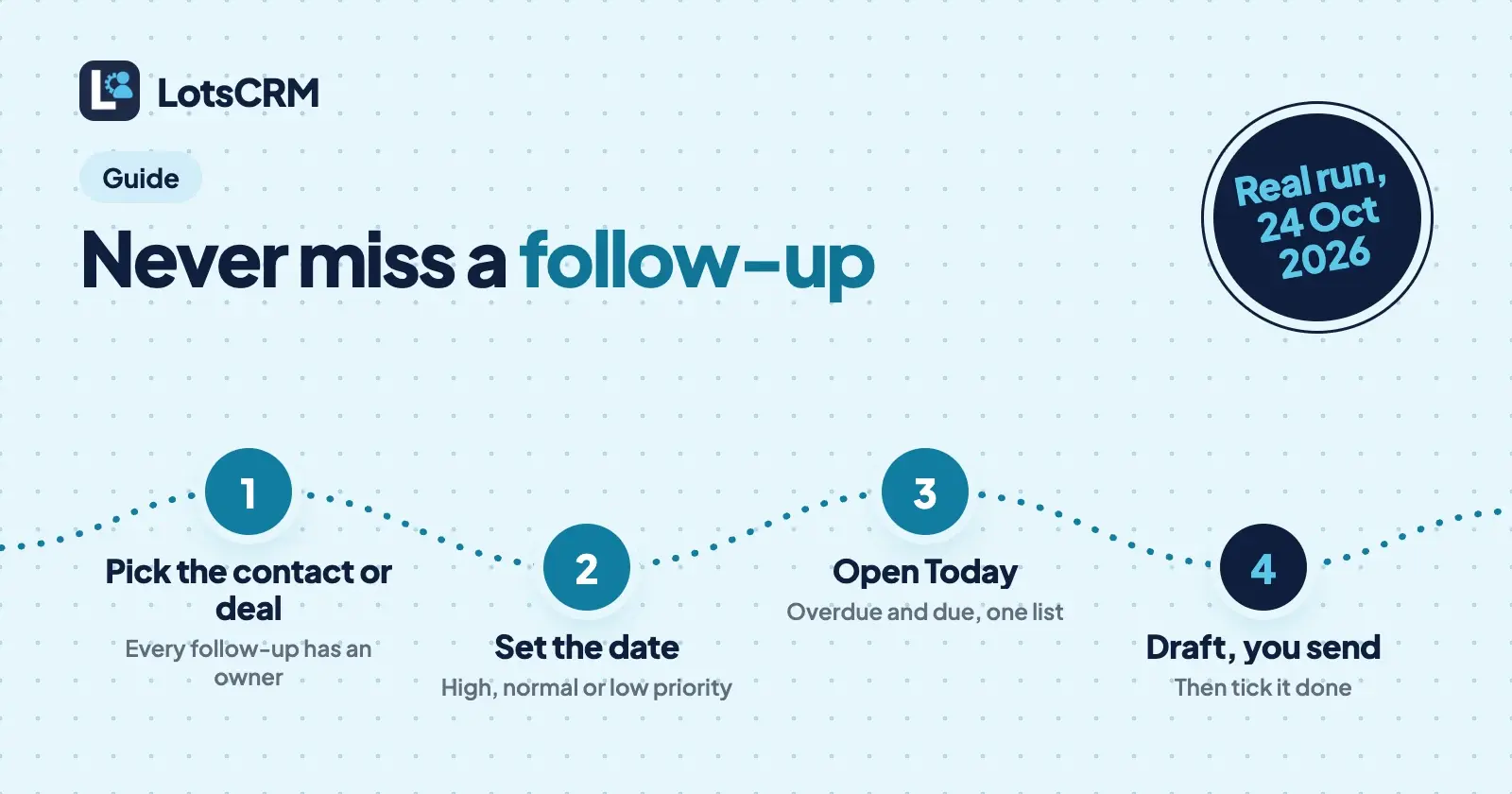
To never miss a follow-up, give every contact and every open deal one dated next step the moment a conversation ends, and look at one list of what's due each morning. In LotsCRM that is a follow-up: a task with a due date and a priority, attached to a person, a company or a deal, shown in your Today view and flagged as overdue when you miss it.
I set this up and ran it through the LotsCRM MCP server on 24 October 2026, in a test workspace with made-up leads at example.com. Below is why follow-ups slip, how to set them in the dashboard or from your AI agent, and what came back. One thing up front: LotsCRM doesn't email you reminders, and it never emails your contacts. The reminder is the Today view, the overdue count, and your agent when you ask what's due.
Why follow-ups slip
Almost every missed follow-up has one of three causes:
- It lives in your head. You promise "I'll send the price Friday" on a call and the next call pushes it out.
- The reminder lives somewhere else. A calendar entry or sticky note has no link to the person or the deal, so when it fires you still have to find the context.
- The deal has no next step. Nothing is overdue because nothing was ever scheduled, so the deal just goes quiet.
The fix is the same for all three: the reminder is a record that belongs to the contact or deal, it has a date, and one screen shows everything that is due.
What a follow-up is in LotsCRM
A follow-up is a due task linked to a contact, a company or a deal. It has:
- a subject (what needs doing) and optional notes,
- a due date and time,
- a priority: low, normal, high or urgent,
- an owner, so on a team you can filter to "assigned to me".
It schedules work for you. It does not send anything. Each follow-up shows on the contact, on the deal and in the Today view, so the context is always one click away. Contacts, companies, deals and teammates are unlimited, so you can attach as many as you need.
Step 1: Set a follow-up in the dashboard
There are four places to add one, all in the LotsCRM dashboard:
- From the Follow-ups page. Choose "New follow-up", pick the deal, person or company it's about, set the date and priority. It needs one of those three, so nothing is a loose reminder. The date defaults to tomorrow at 9:00.
- From a contact. Open the contact, then "Add follow-up" in its Follow-ups card.
- From a deal. Open the deal and go to its Follow-ups tab, then "Add follow-up". The contact on the deal is filled in for you.
- From the Today view. The "No next step" tab lists open deals that have no follow-up scheduled, each with an "Add follow-up" button. This is the quickest way to find the deals that would otherwise go quiet.
Step 2: Set it from your AI agent instead
If you work in Claude, ChatGPT or another agent connected to LotsCRM, say it in the same breath as logging the call:
Remind me to send Maya the demo agenda and the 4-shop price, high priority, on the Example Bakery deal, due Friday morning.
The agent calls create_follow_up with a subject, a due date, an optional priority and the contact and deal it belongs to. You can attach it to a contact, a company, a deal, or all of them. Setup for each agent is on lotscrm.com/mcp, and how to connect Claude to LotsCRM walks through one in detail.
Step 3: Check what's due, and mark things done
Open Today. The "Your day" card lists everything overdue and everything due today, with a "Coming up" list underneath, and a count of overdue follow-ups sits at the top. The sidebar shows the same overdue count on the Follow-ups item, so you see it from any page. The Follow-ups page groups open items under Overdue, Today and Upcoming, with tabs for Open and Completed.
- Complete one by ticking its circle. It moves to the Completed tab, and you can reopen it.
- Reschedule or edit by clicking its subject: change what needs doing, the date, the priority or the notes.
- From the agent: ask "What follow-ups are due today?" and it reads them with
list_follow_ups, which can filter to overdue or completed.update_follow_upreschedules, reassigns, edits, completes or reopens one.
Step 4: Let your agent draft the message, you send it
A follow-up is a promise to contact someone. For the message itself, ask the agent to draft it:
Draft the email to Maya with the demo agenda. Show it to me, don't send it.
The agent calls prepare_follow_up for the deal. It returns the deal, the contacts, recent activity, the open follow-ups and what you're allowed to say, and it never sends. If the contact has opted out or is marked do not contact, it says so and the agent doesn't draft outreach. You send the message from your own email, then tell the agent "sent", and it logs the email with record_activity. Tick the follow-up done and the history shows what was promised and what went out.
The real run
I created a workspace called "Blog test: follow-ups 2026-10-24" through the LotsCRM MCP, added two fictional leads and a deal, set two follow-ups and read them back. Nobody was contacted, and I archived the workspace afterwards. IDs are trimmed below.
Leads and a deal. One bulk_upsert_prospects call added Maya Testwood (Example Bakery Co, maya@example.com) and Leo Sampleton (Sample Studio, leo@example.com), tagged oct-meetup. Then create_deal opened "Example Bakery Co: 4-shop rollout" at $2,400 in the Qualified stage, linked to Maya.
Two follow-ups. create_follow_up made one on the deal and Maya, due the day before so I could see the overdue state, and one on Leo alone, due three days out:
{ "subject": "Send Maya the demo agenda and 4-shop price", "priority": "high",
  "due_at": "2026-10-23T04:30:00+00:00", "activity_type": "task",
  "deal_id": "…", "contact_id": "…", "completed_at": null }

{ "subject": "Check in with Leo about next quarter", "priority": "normal",
  "due_at": "2026-10-27T04:30:00+00:00", "activity_type": "task",
  "deal_id": null, "contact_id": "…", "completed_at": null }
Reading the list. list_follow_ups returned both, each with the contact and deal it belongs to. With overdue: true it returned only the one for Maya. The daily brief agreed:
{ "counts": { "open_deals": 1, "overdue_follow_ups": 1, "stale_deals": 0,
              "closing_soon": 0, "without_next_step": 0 },
  "guidance": "Prioritize overdue commitments first, then high-value stale deals. …" }
without_next_step is 0 because the deal has a follow-up. Without one, it would have appeared in the "No next step" list.
Drafting. prepare_follow_up on the deal came back with "can_contact": true and "outreach_restrictions": [], plus the open follow-up and an instruction to return a draft only, because "sending requires separate explicit authorization". No business facts were stored in that test workspace, so it also reported "can_make_business_claims": false: draft from the CRM history, ask the owner before quoting prices. In a real workspace, your offer and voice come from LotsNotes.
Marking one done. update_follow_up with completed: true set a completion time on Maya's. The open list then held only Leo's, and list_follow_ups with completed: true held only Maya's.
Cleanup. archive_workspace archived the test workspace, so nobody can open it, and it stops counting toward the plan. Nothing was deleted and it can be restored for 30 days.
How other CRMs remind you
Every CRM has some version of this. Here is how three from my competitor list describe theirs, from their own pages, checked on 24 October 2026:
| What a follow-up is | How it reminds you | |
|---|---|---|
| LotsCRM | A task with a due date and priority on a contact, company or deal | Today view, overdue count in the sidebar, and list_follow_ups from your agent. No email or push reminder |
| HubSpot | A task associated with contacts, companies or deals | An email reminder to the task owner, set per task, with default due dates and reminder times (HubSpot: create tasks) |
| OnePageCRM | One Next Action with a date on every contact | A morning email with a summary of your day, plus mobile notifications (OnePageCRM features) |
| Pipedrive | An activity (call, meeting, task, deadline, email or lunch type) linked to a person, organization, lead, deal or project | Calendar and list views, calendar sync and a mobile app (Pipedrive: activities) |
If you want a reminder pushed to your inbox or your phone, HubSpot and OnePageCRM do that and LotsCRM doesn't. If you want the follow-up kept next to the contact and the deal, with the agent setting it while it logs the call, that is what LotsCRM is built for. For a side-by-side with the biggest name, see LotsCRM vs HubSpot.
The habit that makes it work
Once the pieces are in place, the whole routine is one sentence after each conversation and one look each morning:
I just spoke with [name]. [What they said.] Log the call, set a follow-up for [what I promised] on [day], and draft the message. Don't send anything.
Then open Today. The full loop, from adding the lead to the pipeline review, is in founder-led sales with an AI agent. If you're working alone, the best CRMs for solo founders compares the options.
Common questions
How do I set a follow-up reminder in a CRM?
Attach a dated task to the contact or deal right after the conversation, and check one list of what's due each morning. In LotsCRM, choose "New follow-up" (or "Add follow-up" on a contact or deal), pick what it's about, set the date and priority, and it appears in your Today view. Your agent can do the same with create_follow_up.
Does LotsCRM email me or my contacts a reminder?
No. LotsCRM never emails or messages your contacts. Its only emails are team invitations and "you were added" notices to teammates. Reminders show in your Today view, as an overdue count in the sidebar, and when you ask your agent what's due.
Can I attach a follow-up to both a contact and a deal?
Yes. A follow-up can link to a contact, a company, a deal, or several of them. It then shows on each record and in Today.
What happens when I finish a follow-up?
Tick it done and it moves to the Completed tab with the time it was finished. You can reopen it. Your agent does the same with update_follow_up and completed: true.
Can my agent send the follow-up message for me?
No. prepare_follow_up gives your agent the deal, contacts, recent activity and your open follow-ups, and it returns a draft only. You send it with your own email or chat tool, then your agent logs it with record_activity. Contacts who opted out or are marked do not contact are blocked from drafting.
How much does it cost?
New accounts get 5,000 free credits, valid 90 days, no card. After that a workspace is $5 a month on pay as you go, or Starter is $12 a month for 3 workspaces. Contacts, deals, follow-ups and teammates are unlimited. See pricing.
Sources
Real run through the LotsCRM MCP server (https://api.lotscrm.com/mcp) on 24 October 2026, in a test workspace with fictional leads at example.com; the workspace was archived afterwards. LotsCRM: pricing, MCP setup, agent skill, tool list, API docs. Other CRMs, checked on 24 October 2026: HubSpot, OnePageCRM, Pipedrive.