LotsCRM is a hosted CRM priced per business: $5 a workspace a month on pay as you go, with unlimited teammates, unlimited pipelines and a Today view of follow-ups ready on day one. OnePageCRM is a long-running follow-up CRM priced per user, from $9.95 a user a month billed yearly, with two-way email sync and native mobile apps. If you run sales for one or more businesses or clients and want to pay for businesses, not seats, pick LotsCRM. If your team lives in the inbox and on a phone, OnePageCRM fits that.
I'm the founder of LotsCRM, and I built it for people who do their own sales and want a CRM that's easy to keep up to date. Everything below about OnePageCRM comes from its own pricing, features, AI and email pages, linked at the end. Checked on 4 Nov 2026. Prices are in USD. In LotsCRM a "workspace" is one business's sales book, or one client's.
LotsCRM vs OnePageCRM at a glance
| LotsCRM | OnePageCRM | |
|---|---|---|
| Built for | Founders, consultants and small agencies who want a CRM that's easy to keep up to date, in the dashboard or from ChatGPT or Claude | Small businesses that work from a daily list of next actions, with email and calls inside the CRM |
| What you pay for | Workspaces (one per business or client): $5 each a month, or $12 a month for 3, $29 for 10, $79 for 30 | Users: Professional $9.95, Business $19.95 and Max $29.95 a user a month billed yearly; $15, $29 and $45 billed monthly |
| Team members | Unlimited and free on every plan and on pay as you go | Priced per user |
| Contacts and deals | Unlimited contacts, companies and deals | Unlimited contacts, deals, fields and tags on every plan |
| Pipelines | Unlimited on every plan | 1 on Professional, up to 10 on Business, unlimited on Max |
| Agent access | MCP server and REST API on every plan and on pay as you go | MCP server on every plan, listed in the ChatGPT and Claude connector directories |
| Your agent drafts, you send with your own tools; LotsCRM logs every message | Two-way email sync on every plan; open tracking from Business; sequences on Max | |
| Mobile | Dashboard in the browser | Native Android and iOS apps |
| Free start | Free credits, no card | 21-day free trial, no card |
Where LotsCRM is the better choice
You pay for businesses, not seats
OnePageCRM's price is per user. LotsCRM bills the workspace, and everything inside it is unlimited: contacts, companies, deals, pipelines and teammates.
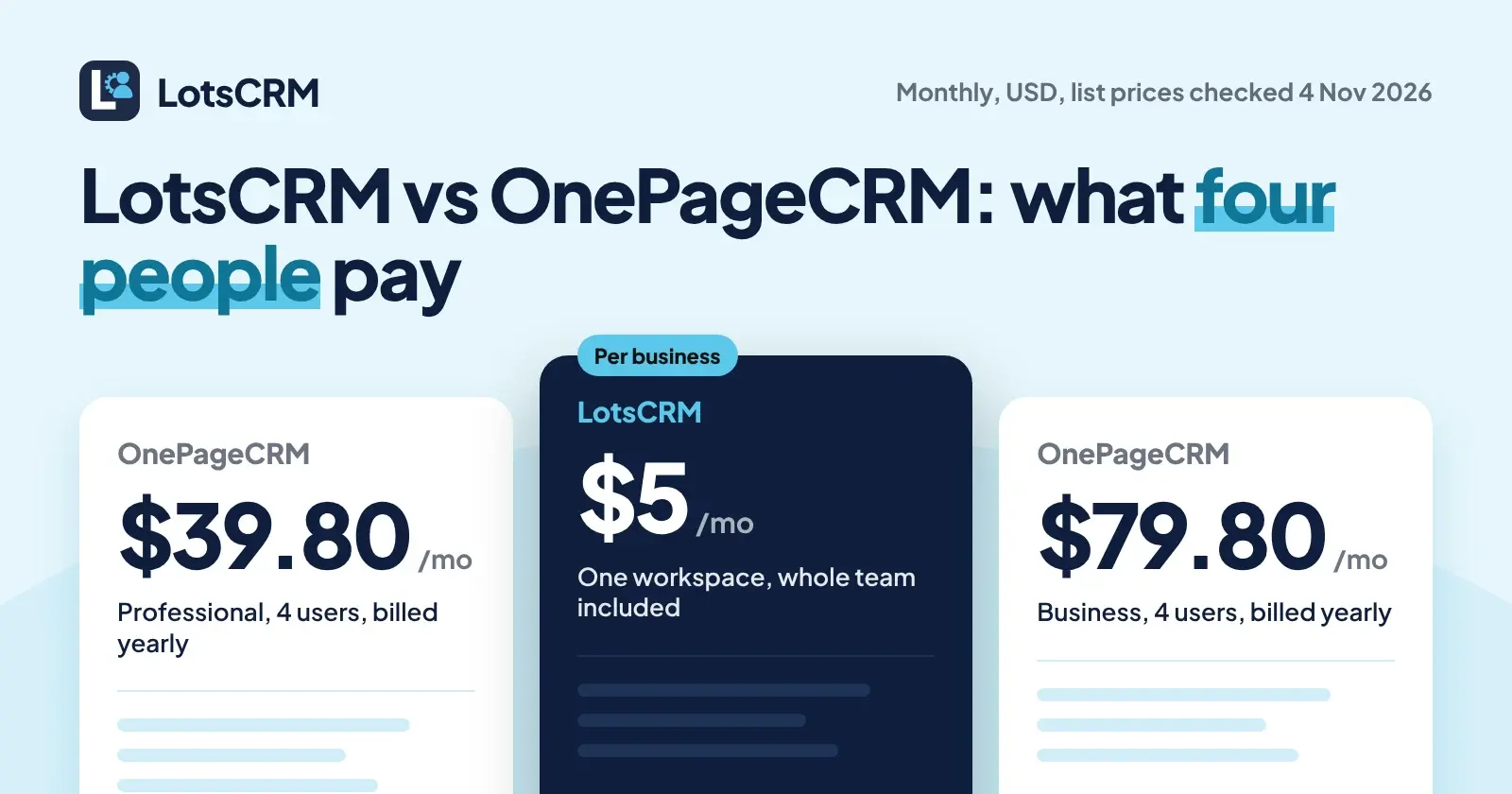
Here is what one business costs per month as the team grows, at list prices on 4 Nov 2026:
| People in the CRM | LotsCRM (one workspace, pay as you go) | OnePageCRM Professional, billed yearly | OnePageCRM Professional, billed monthly | OnePageCRM Business, billed yearly |
|---|---|---|---|---|
| 1 | $5 | $9.95 | $15 | $19.95 |
| 4 | $5 | $39.80 | $60 | $79.80 |
| 10 | $5 | $99.50 | $150 | $199.50 |
OnePageCRM includes things LotsCRM doesn't, such as email sync and native mobile apps, so this compares the pricing model, not identical scope. If you run more than one business, LotsCRM Starter is $12 a month for 3 workspaces ($120 a year), Pro is $29 for 10 and Business is $79 for 30, with the same unlimited team on each. Pro and Business also include LotsNotes Pro, the place your agents read your business context from. The full breakdown is in LotsCRM pricing explained.
One sales book per client, under one plan
Consultants and small agencies rarely sell for one company. In LotsCRM each client gets its own workspace under one plan: separate contacts, pipelines, deals, activity and members, with nothing shared between them. Invite a client's staff as viewers so they see their own pipeline without editing it, and it costs nothing extra because teammates are free. Roles run from owner and admin down to viewer on every plan. I compared eight agency CRMs on this point in the best CRMs for agencies.
OnePageCRM's Professional plan has one sales pipeline and no user permissions. Business ($19.95 a user billed yearly) adds user permissions and up to 10 pipelines. LotsCRM gives you unlimited pipelines and roles from the start.
A sales book that's ready on day one
LotsCRM starts with the sales book already built: contacts, companies, deals on a pipeline you can rename and extend, follow-ups with a Today view, and a history of every conversation on each record. You add your leads from the dashboard, from a CSV, or by telling your agent, and you're working the same day. There is nothing to connect first and no mailbox to link.
Your agent does the record-keeping, and does it safely
OnePageCRM's MCP server is a real one: your AI can read contacts, deals, notes and follow-ups and update them when you ask. Agent access alone isn't the difference. What I built LotsCRM around is the agent doing the record-keeping, and the admin around it, every day without making a mess:
- It reads before it writes.
get_crm_briefingreturns your role, the pipeline, today's priorities and your business context before the agent touches anything. - It brings in your team. Ask your agent to invite a teammate or a client and it calls
invite_memberwith the role you choose, from admin down to viewer.update_memberandremove_memberchange or end access. - It sets up the business.
create_workspaceopens a new sales book for a new client, andcreate_pipelinegives it its own stages. - Imports don't duplicate.
bulk_upsert_prospectstakes 1 to 100 rows, deduplicates by email and uses an idempotency key, so a retried import never creates twins. - Deals don't get overwritten.
update_dealandmove_dealcarry the deal's version; if someone changed it in the meantime, the agent reads again instead of overwriting. A lost deal needs a reason. - Nothing is hard-deleted. Archive tools are recoverable and keep the history.
Every change shows up in the dashboard: contacts, the pipeline and the Today view. The agent works within your workspace role. The setup page covers Claude, ChatGPT, Claude Code, Codex and Cursor, and what your agent can and can't do is written down in full.
Your agent drafts, you send
LotsCRM is the record, not the sender. When you want a follow-up, prepare_follow_up gives your agent the deal history and your business facts, and refuses to draft for opted-out or do-not-contact records. You send it with the email or chat tool you already use, and the agent logs it with record_activity. Follow-ups wait in the Today view. LotsCRM itself sends team invitations and notices to teammates. Nothing goes to a contact by itself.
Your data stays readable
If a LotsCRM workspace isn't funded, it turns read-only: you can still read and export everything, and nothing is deleted. Pay again and writes come back.
What OnePageCRM offers
OnePageCRM has been built around one idea for years, a list of next actions, and it does that well:
- Action Stream and Next Actions. Every contact carries a next step, colour-coded by deadline, with Focus Mode to hide everything not due.
- Email inside the CRM. Two-way sync works on every plan. Business adds open tracking, scheduling and full history, and Max adds email sequences and up to 1,000 bulk emails a day.
- Native mobile apps. Android and iOS apps with a business card scanner and a route planner.
- An integrations marketplace. Gmail, Outlook, calendars, WhatsApp, Mailchimp, QuickBooks, Xero, Zapier and more.
- AI on every plan. A TL;DR button summarises a contact, and the MCP server connects ChatGPT, Claude, Perplexity, Grok and Mistral. You choose read-only or read and update when you connect.
- Autoflows. Workflow automation, 15 on Professional, 30 on Business, unlimited on Max.
- A 21-day free trial with no card.
Which one should you choose?
Choose LotsCRM if:
- You're a founder, consultant or small agency and you want to pay for businesses, not seats.
- You run sales for more than one business or client and want each one in its own workspace under one plan.
- You want a sales book that works on day one, with unlimited pipelines and roles included.
- You work in ChatGPT, Claude or Claude Code and want the agent to do the record-keeping while you review it in the dashboard.
- You send email from your own tools and want the CRM to record it, not send it.
Choose OnePageCRM if:
- You want email sync, open tracking or sequences inside the CRM.
- You work from your phone and want native mobile apps.
- You want a daily Action Stream with Focus Mode and a marketplace of connected apps.
- Per-user pricing fits a small team.
Move from OnePageCRM with your agent
LotsCRM works with the AI agent you already use. Connect both MCP servers in the same agent and let it carry your contacts and next actions across. LotsCRM's server is https://api.lotscrm.com/mcp, and you sign in with your Lots account, no key needed. OnePageCRM is in the ChatGPT and Claude connector directories. Then give your agent this:
Read https://lotscrm.com/skill.md. In LotsCRM, create a workspace called "Acme" and a pipeline with the same stages as my OnePageCRM deals. Read the contacts in OnePageCRM and add them with bulk_upsert_prospects (source: onepagecrm), keeping their job titles and companies. For each open deal in OnePageCRM, create a deal in the matching stage with create_deal, log the latest note with record_activity, and turn each Next Action into a follow-up with create_follow_up. Then invite sam@example.com as a member with invite_member. Show me the list and wait for my yes before you write anything.
That uses create_workspace, create_pipeline, bulk_upsert_prospects, create_deal, record_activity, create_follow_up and invite_member, and the import is safe to retry. If you'd rather move a spreadsheet, OnePageCRM lets you export contacts and deals on every plan, and you import the CSV in the LotsCRM dashboard. New accounts start with free credits, no card. See pricing, or compare LotsCRM with other CRMs. Weighing another per-seat CRM too? Read LotsCRM vs Attio, LotsCRM vs Pipedrive or the best CRMs for freelancers.
Common questions
Is LotsCRM a good OnePageCRM alternative?
Yes, if you want a hosted CRM with a pipeline, contacts, follow-ups and an AI agent that does the record-keeping, priced per business instead of per user. LotsCRM is $5 a workspace a month with unlimited teammates. It doesn't sync your inbox or run email sequences, and OnePageCRM has native mobile apps and email sync built in.
How much does OnePageCRM cost?
On 4 Nov 2026 OnePageCRM's pricing page listed Professional at $9.95, Business at $19.95 and Max at $29.95 a user a month billed yearly, or $15, $29 and $45 a user a month billed monthly. Prices don't include VAT, and there is a 21-day free trial with no card.
Does OnePageCRM have an MCP server for ChatGPT and Claude?
Yes. OnePageCRM's AI page says it connects to ChatGPT, Claude, Perplexity, Grok and Mistral, and that it works on every plan. In ChatGPT and Claude it is listed in the connector directory, and you choose read-only or read and update access when you connect.
Does LotsCRM sync email or send sequences like OnePageCRM?
No. LotsCRM records your sales work and never sends emails or messages to contacts. Your agent drafts follow-ups with prepare_follow_up, you send them with the tools you already use, and the agent logs each one with record_activity.
How do the prices compare for a team?
LotsCRM charges per workspace and OnePageCRM per user, so the gap grows with the team. At list prices on 4 Nov 2026, four people cost $5 a month in one LotsCRM workspace on pay as you go, against $39.80 on OnePageCRM Professional billed yearly. OnePageCRM includes email sync and mobile apps, so the scope differs.
Can my AI agent move my data from OnePageCRM to LotsCRM?
Yes. Connect both MCP servers in the same agent, ask it to read your OnePageCRM contacts, deals and next actions, and it can recreate them in LotsCRM with create_pipeline, bulk_upsert_prospects, create_deal, record_activity and create_follow_up. Ask it to show you the list before it writes.
Sources
OnePageCRM, checked on 4 Nov 2026: pricing (USD, plan table and FAQ), AI agents and MCP, email features, Gmail integration and home page. LotsCRM: pricing, MCP setup, agent skill, tool list, API docs.