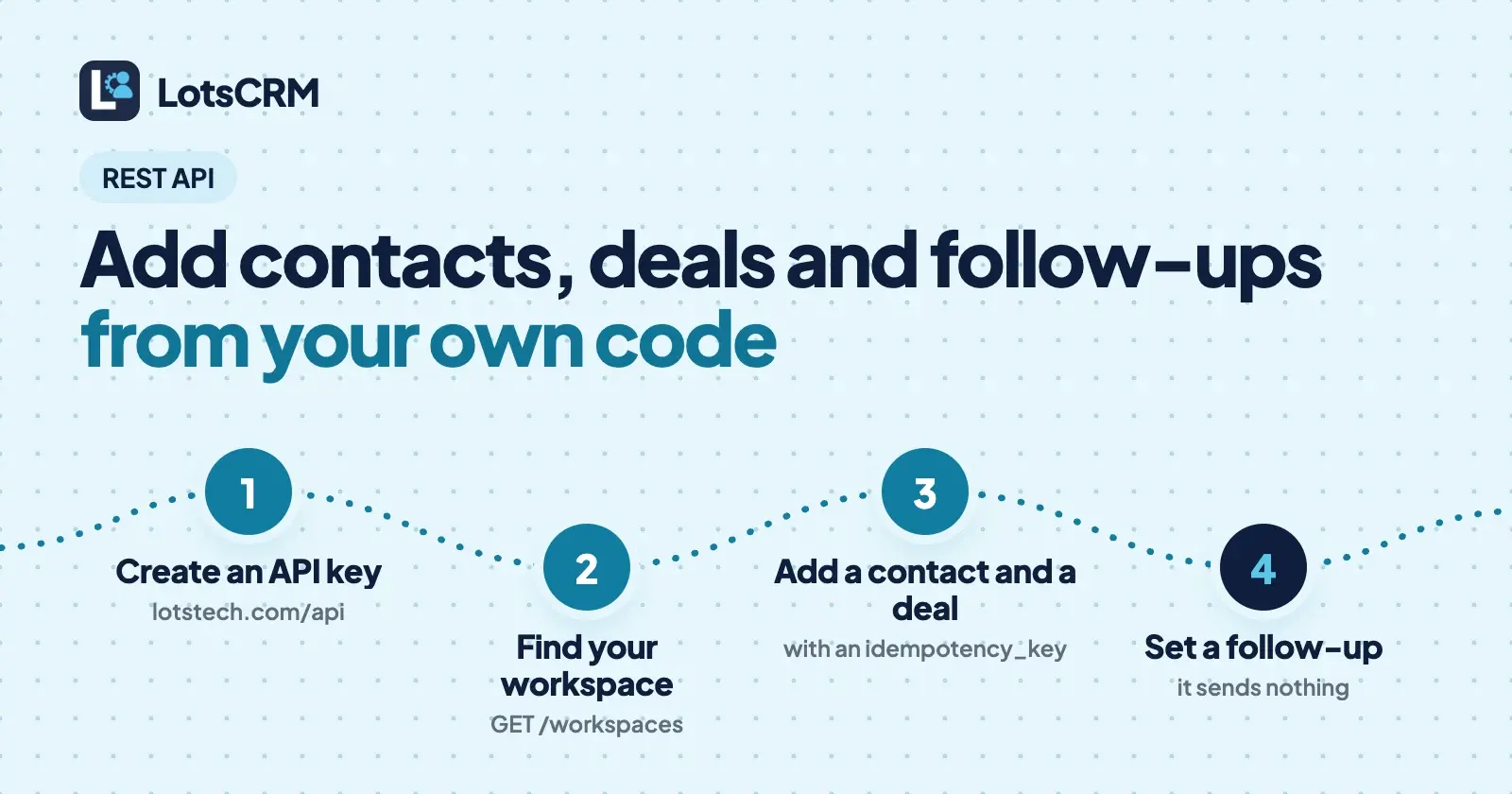
LotsCRM has a REST API at https://api.lotscrm.com that does what the dashboard does: add a contact, import a batch, open a deal, move it, set a follow-up and log what happened. You send JSON with an API key, put an idempotency_key on every create so a retry never makes a duplicate, and read results from one response format. Below are the requests, in order, with fictional data.
Everything here comes from the live API reference at api.lotscrm.com/docs.md and from how the API behaves in the product's code, checked on 30 October 2026. In LotsCRM a "workspace" is one business's sales book, and every request names one.
What the API is for
If you sell for a small business, your leads rarely start inside the CRM. They arrive from a signup form, a payment, a spreadsheet, a script or an agent running in the cloud. The API lets that code put them in the CRM, then lets you open the dashboard and see the same records:
- Add and update contacts and companies, or import up to 100 contacts in one request.
- Create deals in a pipeline stage and move them between stages.
- Set follow-ups that appear in the Today view, and mark them done.
- Record calls, meetings, emails, messages and notes, plus system events such as a signup or a first payment.
- Read a briefing, a pipeline summary or a single deal's pre-call brief.
- Manage workspaces, pipelines and team members.
LotsCRM sends no emails or messages to your contacts, and that includes reminders. A follow-up is a task, and an activity is a record of something that already happened. Your own code or your own tools do the sending.
The requests at a glance
All paths start with https://api.lotscrm.com/api/v1/lotscrm. Read requests (GET) send workspace_id as a query parameter; writes send it in the JSON body.
| To do this | Request | You must send |
|---|---|---|
| List your workspaces | GET /workspaces | nothing |
| List pipelines and stages | GET /pipelines | workspace_id |
| Add a contact | POST /contacts | workspace_id, idempotency_key, and a name, email or phone |
| Import 1 to 100 contacts | POST /contacts/bulk | workspace_id, idempotency_key, prospects |
| Add a company | POST /companies | workspace_id, idempotency_key, name |
| Open a deal | POST /deals | workspace_id, idempotency_key, title, pipeline_id, stage_id |
| Move a deal | POST /deals/:deal_id/move | workspace_id, stage_id, expected_version |
| Set a follow-up | POST /follow-ups | workspace_id, idempotency_key, subject, due_at, and a contact, company or deal |
| Log an activity | POST /activities | workspace_id, idempotency_key, subject, activity_type |
| List open follow-ups | GET /follow-ups | workspace_id |
Step 1: Create an API key
- Open lotstech.com/api and click "Manage API keys", or go to api.lotscrm.com/dashboard.
- Sign in with your Lots account.
- Choose LotsCRM, name the key and create it.
- Copy the key and store it somewhere safe. It is shown once.
Keep it in an environment variable, never in code you commit. A key made for another Lots product is refused by LotsCRM. Send it in either header:
export LOTSCRM_API_KEY="YOUR_API_KEY"

curl -H "X-API-Key: $LOTSCRM_API_KEY" \
  https://api.lotscrm.com/api/v1/lotscrm/workspaces
Authorization: Bearer YOUR_API_KEY works the same way. If you are connecting an AI agent rather than writing code, you don't need a key at all: add https://api.lotscrm.com/mcp and sign in.
Step 2: Find your workspace and pipeline IDs
The workspaces call returns the workspaces you can use. Copy the id of the one you want. Then list its pipelines:
curl -H "X-API-Key: $LOTSCRM_API_KEY" \
  "https://api.lotscrm.com/api/v1/lotscrm/pipelines?workspace_id=WORKSPACE_ID"
A new workspace starts with one pipeline with six stages: New, Qualified, Proposal, Negotiation, Won and Lost. Note the pipeline id and the id of the stage you want new deals to start in.
Every response uses the same envelope:
{
  "success": true,
  "data": { },
  "meta": { "timestamp": "2026-10-30T09:30:00.000Z" }
}
Failures come back as "success": false with an error holding a code and a message. Check success, not only the HTTP status.
Step 3: Add a contact
curl -X POST https://api.lotscrm.com/api/v1/lotscrm/contacts \
  -H "X-API-Key: $LOTSCRM_API_KEY" \
  -H "Content-Type: application/json" \
  -d '{
    "workspace_id": "WORKSPACE_ID",
    "idempotency_key": "signup-1042-contact",
    "first_name": "Dana",
    "last_name": "Example",
    "email": "dana@example.com",
    "job_title": "Operations lead",
    "company_name": "Example Studio",
    "source": "website-signup",
    "tags": ["oct-webinar"]
  }'
A few fields worth knowing:
company_namelinks the contact to that company in the workspace and creates the company if it isn't there. Usecompany_idif you already have it.sourceandsource_urlrecord where the lead came from.lead_statusis one ofnew,attempted,connected,qualified,unqualifiedornurturing. New leads start asnew, shown as "Not contacted".lifecycle_stageis one oflead,prospect,user,customer,partnerorinactive.marketing_statusisunknown,opted_in,opted_outordo_not_contact, andconsent_atandconsent_sourcerecord consent.tagslabel the contact; later you can add or remove single tags withadd_tagsandremove_tagsonPATCH /contacts/:contact_id. A contact holds at most 20.custom_fieldstakes key and value pairs. On update they merge, and a key set tonullis removed.
The data in the response is the saved contact, including its id. Keep that id; the next steps use it.
Step 4: Import a batch
For a list from a spreadsheet, a research run or an export, send up to 100 prospects in one request:
curl -X POST https://api.lotscrm.com/api/v1/lotscrm/contacts/bulk \
  -H "X-API-Key: $LOTSCRM_API_KEY" \
  -H "Content-Type: application/json" \
  -d '{
    "workspace_id": "WORKSPACE_ID",
    "idempotency_key": "webinar-oct-batch-1",
    "source": "webinar-list",
    "prospects": [
      { "first_name": "Dana", "last_name": "Example", "email": "dana@example.com", "company_name": "Example Studio", "tags": ["oct-webinar"] },
      { "first_name": "Sam", "last_name": "Sample", "email": "sam@example.org", "tags": ["oct-webinar"] }
    ]
  }'
The email address is the deduplication key in a workspace: a row whose email already exists updates that contact instead of adding a second one. Each row keeps its source and source_url, and can carry tags and a company_name.
The response tells you what happened row by row: created_count, updated_count, error_count, a list of errors with the row number and a message, and an overall status of completed, partial or failed. A bad row doesn't stop the good ones. Fix the failed rows and send them again under a new key.
For a file rather than code, the dashboard's CSV import does the same job; see How to Move From HubSpot or a Spreadsheet to LotsCRM.
Step 5: Open a deal
curl -X POST https://api.lotscrm.com/api/v1/lotscrm/deals \
  -H "X-API-Key: $LOTSCRM_API_KEY" \
  -H "Content-Type: application/json" \
  -d '{
    "workspace_id": "WORKSPACE_ID",
    "idempotency_key": "signup-1042-deal",
    "title": "Example Studio, annual plan",
    "pipeline_id": "PIPELINE_ID",
    "stage_id": "NEW_STAGE_ID",
    "contact_ids": ["CONTACT_ID"],
    "amount": 1200,
    "currency": "USD",
    "expected_close_date": "2026-12-15"
  }'
The stage must belong to that pipeline in that workspace. If you leave out currency, the workspace's default currency is used. contact_ids links up to 50 contacts, and company_id links a company. The deal comes back with its stage, company and contacts, and a version number.
Step 6: Move the deal
Two people, or a person and a script, can change the same deal. To stop one from overwriting the other, deal changes need the version you last read:
curl -X POST https://api.lotscrm.com/api/v1/lotscrm/deals/DEAL_ID/move \
  -H "X-API-Key: $LOTSCRM_API_KEY" \
  -H "Content-Type: application/json" \
  -d '{
    "workspace_id": "WORKSPACE_ID",
    "stage_id": "PROPOSAL_STAGE_ID",
    "expected_version": 1
  }'
If the deal has changed since you read it, the API refuses with VERSION_CONFLICT and returns current_version. Read the deal again with GET /deals/:deal_id, check that your change still makes sense, and retry with the new version. Moving a deal to a lost stage needs a lost_reason. Every move is kept in the deal's stage history.
PATCH /deals/:deal_id edits amount, title, close date and the rest, and needs expected_version too.
Step 7: Set a follow-up and log what happened
A follow-up is a due task linked to a contact, company or deal. It shows up in the Today view and in GET /follow-ups:
curl -X POST https://api.lotscrm.com/api/v1/lotscrm/follow-ups \
  -H "X-API-Key: $LOTSCRM_API_KEY" \
  -H "Content-Type: application/json" \
  -d '{
    "workspace_id": "WORKSPACE_ID",
    "idempotency_key": "signup-1042-followup",
    "contact_id": "CONTACT_ID",
    "deal_id": "DEAL_ID",
    "subject": "Send the proposal Dana asked for",
    "due_at": "2026-11-05T09:00:00+05:30",
    "priority": "high"
  }'
due_at is an ISO date-time; priority is low, normal, high or urgent. It schedules work and sends nothing. To see what is due, call GET /follow-ups (open ones by default, overdue=true for late ones). To finish one, PATCH /follow-ups/:follow_up_id with "completed": true; it can also reschedule, reassign or reopen. For the dashboard side, see How to Never Miss a Follow-Up.
Then record the history with an activity:
curl -X POST https://api.lotscrm.com/api/v1/lotscrm/activities \
  -H "X-API-Key: $LOTSCRM_API_KEY" \
  -H "Content-Type: application/json" \
  -d '{
    "workspace_id": "WORKSPACE_ID",
    "idempotency_key": "call-2026-10-30-dana",
    "activity_type": "call",
    "direction": "outbound",
    "subject": "Intro call with Dana",
    "body": "Wants a proposal by Friday.",
    "contact_id": "CONTACT_ID",
    "deal_id": "DEAL_ID",
    "occurred_at": "2026-10-30T10:15:00+05:30"
  }'
activity_type is call, meeting, email, message, note, other or system. Use system for events another system recorded, such as a product signup, a first payment or a cancellation. An activity records history and never sends a message.
Retries, errors and limits
Idempotency. Every create needs an idempotency_key of at least 8 characters. Send the same key with the same body and you get the original result back, with no second record. Send the same key with a different body and you get IDEMPOTENCY_CONFLICT (HTTP 409). If an identical request is still being processed you get REQUEST_IN_PROGRESS; wait and retry. So build the key from the event, such as signup-1042-contact, and build the body from the event too. A key that is random on every attempt, or a body that carries the current time, defeats the protection.
Common errors.
| Code | HTTP | What to do |
|---|---|---|
VALIDATION_ERROR | 400 | Read the message; a required field is missing or a value is invalid |
AUTHENTICATION_REQUIRED | 401 | The key is missing or invalid |
WORKSPACE_READ_ONLY | 402 | The workspace isn't paid for; reads still work, nothing is deleted, and you can choose a plan or add credits in Settings |
VERSION_CONFLICT | 409 | The deal changed; reload and retry with current_version |
IDEMPOTENCY_CONFLICT | 409 | The key was used with a different body |
RATE_LIMIT_EXCEEDED | 429 | Slow down and retry after the delay in the message |
Rate limits. The default is 100 requests a minute per API key, and each endpoint has its own ceiling: for example 60 a minute for creating contacts, deals and follow-ups, 20 a minute for the bulk import, 120 for reads. Limit headers (X-RateLimit-Limit, X-RateLimit-Remaining, X-RateLimit-Reset) come back on responses. This is a reason to prefer the bulk import over 100 single calls.
Deleting. DELETE on a contact, company or deal archives it recoverably; history stays intact. There is no hard delete in the API.
No webhooks listed. The API reference lists no webhook endpoints. To pick up new records, list with created_after and sort=created_at_desc.
A small script: new signup to contact and follow-up
This Python script takes a fictional signup, adds the contact, and sets a follow-up for the next day. The keys and the due time come from the signup, so running it twice for the same signup changes nothing.
import os
from datetime import datetime, timedelta

import requests

BASE = "https://api.lotscrm.com/api/v1/lotscrm"
HEADERS = {"X-API-Key": os.environ["LOTSCRM_API_KEY"]}
WORKSPACE_ID = os.environ["LOTSCRM_WORKSPACE_ID"]

def post(path, body, key):
    body = {"workspace_id": WORKSPACE_ID, "idempotency_key": key, **body}
    response = requests.post(f"{BASE}/{path}", headers=HEADERS, json=body, timeout=30)
    payload = response.json()
    if not payload["success"]:
        error = payload["error"]
        raise RuntimeError(f"{error['code']}: {error['message']}")
    return payload["data"]

def handle_signup(signup):
    contact = post("contacts", {
        "first_name": signup["first_name"],
        "email": signup["email"],
        "source": "website-signup",
        "lifecycle_stage": "lead",
    }, f"signup-{signup['id']}-contact")

    due = datetime.fromisoformat(signup["created_at"]) + timedelta(days=1)
    post("follow-ups", {
        "contact_id": contact["id"],
        "subject": "Say hello to the new signup",
        "due_at": due.isoformat(),
    }, f"signup-{signup['id']}-followup")

handle_signup({
    "id": 1042,
    "first_name": "Dana",
    "email": "dana@example.com",
    "created_at": "2026-11-02T09:30:00+00:00",
})
Retry on a timeout, a 429 or a 5xx with the same key and the same body. Don't retry a 400 without changing the request.
If you'd rather not write code
You don't have to. The same CRM is open to ChatGPT, Claude, Claude Code, Codex and Cursor over MCP, with no key and no code: "add the 12 people I met at the workshop and tag them", "move the Example Studio deal to Proposal and set a follow-up for Thursday". The REST API is on every plan, not a higher tier, so a small team that wants a script and a team that wants an agent pay the same per workspace. See Claude CRM Integration and ChatGPT CRM Integration, or pricing explained. New accounts get free credits when they sign up, no card, enough to run one workspace for about a month.
If you run sales for several clients
Agencies can script a workspace per client. POST /workspaces creates an isolated workspace with the default six-stage pipeline; set kind to agency_client for a client's book. It joins the organization you own or administer, and if you have several it answers ORGANIZATION_REQUIRED with their IDs, so pass organization_id. Then invite the client's staff with POST /workspaces/:workspace_id/invitations, using the role viewer for read-only access. Members are unlimited on every plan (the pricing page notes unlimited is subject to fair use). Each workspace is the paid unit, so check the pricing page and The Best CRMs for Agencies.
Safe to automate
- Your key acts as you. It sees what your account can see in each workspace, with your role (owner, admin, manager, member or viewer).
- Nothing is sent. Drafting a follow-up with
prepare-follow-upreturns context and never sends, and it blocks opted-out or do-not-contact records. - Nothing is hard-deleted. Archive is recoverable; an unpaid workspace goes read-only.
More in Is LotsCRM Safe?. To get started, create a key or read the full reference at api.lotscrm.com/docs.
FAQ
Does LotsCRM have a REST API?
Yes. The base URL is https://api.lotscrm.com. You authenticate with an API key in the X-API-Key or Authorization: Bearer header, and the API covers contacts, companies, deals, pipelines, follow-ups, activities, workspaces and members. The reference is at api.lotscrm.com/docs and docs.md.
How do I get a LotsCRM API key?
Open lotstech.com/api, click "Manage API keys", sign in, choose LotsCRM, name the key and create it. You can also create one at api.lotscrm.com/dashboard. The key is shown once, so store it safely.
What is the idempotency_key for?
Every create request needs one, at least 8 characters. Repeat the same key with the same body and you get the first result back instead of a duplicate. Reuse it with a different body and the API returns IDEMPOTENCY_CONFLICT.
Does the API send emails to my contacts?
No. LotsCRM sends no emails or messages to contacts, including reminders. A follow-up is a due task and an activity is a record of something that happened. Your own tools do the sending.
What are the rate limits?
The default is 100 requests a minute per API key, with lower ceilings on some endpoints, such as 20 a minute for the bulk import. A 429 response means slow down and retry.
Can I delete a contact through the API?
DELETE archives the contact recoverably and keeps its deal and activity history. The API has no hard delete.