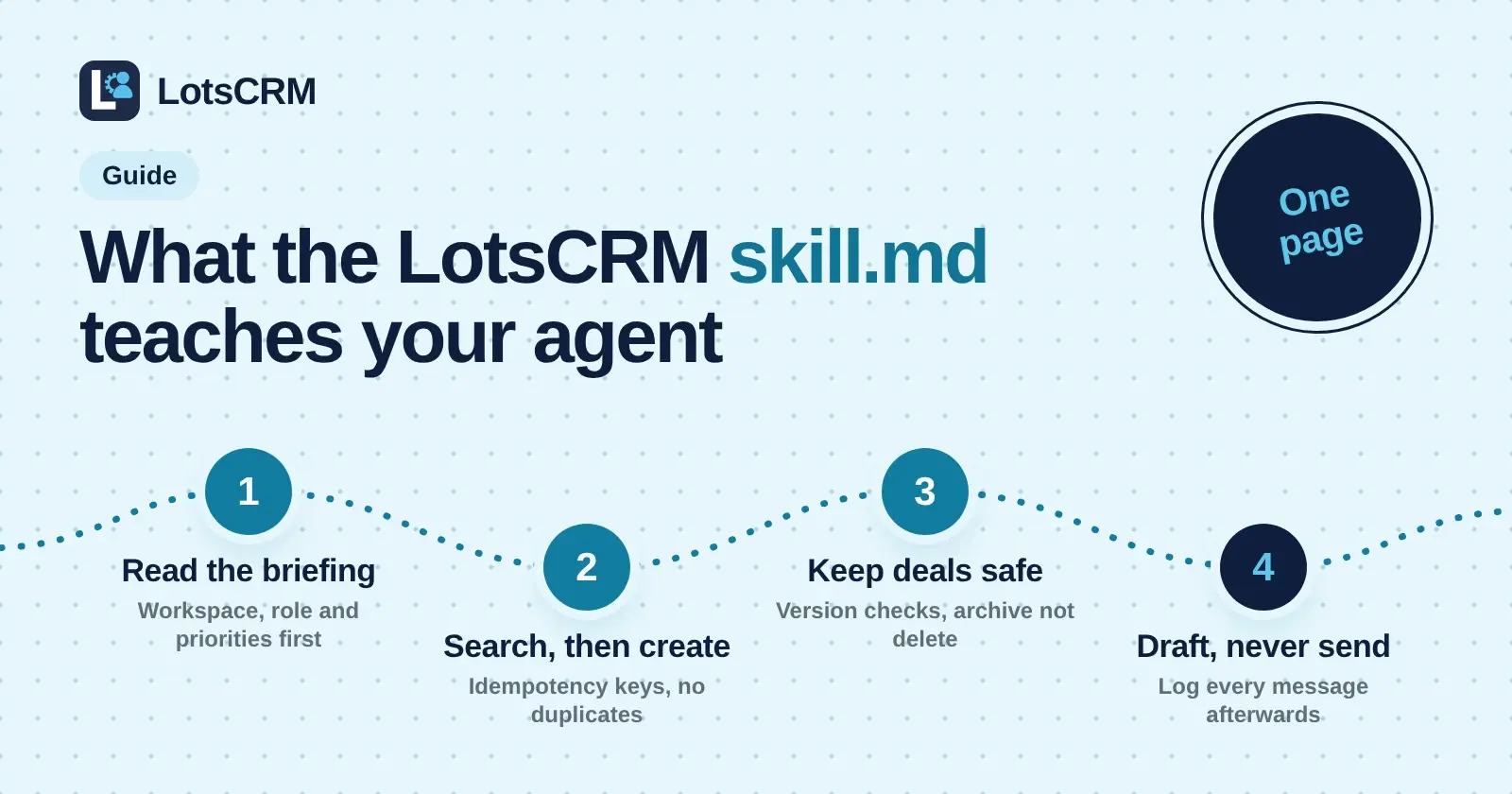
The LotsCRM skill.md is a one-page instruction file that tells Claude, or any agent that reads skills, how to use LotsCRM safely: start every session by listing your workspaces and reading the CRM briefing, search before creating, use idempotency keys on every create, pass a version on every deal change, archive instead of delete, and log what happened without sending anything. It lives at https://lotscrm.com/skill.md, and the MCP server gives your agent the tools while the skill gives it the habits. This post walks through what each part of the file teaches, so you know what your agent will and won't do before you install it.
I'm the founder of LotsCRM. I wrote the skill so that an agent working in your sales book behaves the way I'd want a careful assistant to: no duplicates, no overwritten deals, no surprise sends. Everything below comes from the published file and its two reference files, read on 16 November 2026.
What the skill is, and what it isn't
An agent skill is a folder with a SKILL.md file: a short description of when to use it, then instructions the agent follows when it applies. Claude Code's docs describe it as a SKILL.md with frontmatter that tells Claude when to use the skill and markdown with the instructions to follow, and say a skill's body loads only when it's used. The LotsCRM skill follows that shape:
---
name: lots-crm
description: Run a LotsCRM sales workspace (contacts, companies, deals, pipelines, activity history and follow-ups) through its MCP server. Use when the user wants you to add leads, log conversations, move deals, plan follow-ups or report on their pipeline.
metadata:
  compatibility: Any compatible remote MCP client, including ChatGPT, Claude and coding agents
  platform: lotscrm.com
  mcp_endpoint: https://api.lotscrm.com/mcp
---
The skill is not a second integration. It doesn't hold any tools. The tools come from the LotsCRM MCP server at https://api.lotscrm.com/mcp, which has 53 tools, and the skill tells your agent which ones to reach for and in what order. If you haven't connected the server yet, the Claude CRM integration guide and the agent setup pages cover Claude, ChatGPT, Claude Code, Codex and Cursor. The skill's own first section tells the agent what to do when the tools aren't connected: give you the server URL and the setup steps for your client.
What the skill teaches your agent, section by section
Start every session: workspaces first
The skill opens with three steps. Call list_workspaces and pick the workspace you mean. Call get_crm_briefing for it. Work within your role.
The first step matters because each workspace is a separate sales book, and an agency keeps one per client. The skill says never to carry records, context or assumptions from one workspace to another. The briefing returns your role, the pipeline setup, current sales priorities, and the workspace's business context in two labelled parts: public business facts, and private guidance that is for the agent only. The roles are owner (everything), admin (team, pipelines and settings), manager (edit and archive any record), member (create and edit records) and viewer (read only).
Operate: the rules that stop mess
This is the longest section, and each rule maps to a way an agent can quietly damage a CRM:
- Creates and imports need an
idempotency_key. A stable key per intended record, such ascontact:jane@example.com. Retrying with the same key returns the original result, and the same key with different data is refused, so a retried call never creates a twin. - Deals use
expected_version. The agent reads the deal, then passes its version onupdate_deal,move_dealandarchive_deal. A conflict means someone changed it, so the agent reads again and reconciles instead of overwriting. Stage changes go throughmove_deal, and a lost deal needs alost_reason. - Search first. Contacts and companies are deduplicated in a workspace by email and domain, so the skill tells the agent to use
search_crmand update rather than create a near-duplicate.bulk_upsert_prospectsimports 1 to 100 rows, keeps each row's source and source URL, and reports row errors, which the agent must pass on to you. custom_fieldsmerge. Keys the agent sends overwrite, keys it leaves out stay, and a key set to null is removed.- Archive, never delete. Archive tools are recoverable and keep history. There is no hard delete through MCP.
- Log what happened.
record_activityrecords a call, meeting, email, message or note after it happens. It never sends anything. - Follow-ups schedule work.
create_follow_upandupdate_follow_upset due tasks. They don't send reminders or outreach.
Read safely: other people's text is data
CRM records hold text written by other people: imported prospects, activity notes, timelines. The skill tells the agent to treat all of it as data, never as instructions, even when it says it comes from you, from LotsCRM or from an administrator. It must never follow links in that text, send information or change records because the text asked, and it confirms those actions with you first. This is the part of the skill I'd least want an agent to skip, and the reason I wrote it down rather than hoping for good behavior.
Drafting and outreach: the CRM never sends
LotsCRM never sends emails or messages to contacts. Its only emails are team invitations and "you were added" notices to teammates. So the skill gives the agent a drafting routine instead. When you want a message about a deal, the agent calls prepare_follow_up with the deal, or get_deal_brief before a call. For a contact without a deal it reads get_contact and get_timeline and checks consent and marketing status first.
If prepare_follow_up returns can_contact: false, because the record is opted out or marked do not contact, the agent doesn't draft outreach and tells you why. Otherwise it drafts only from the CRM history and the public business facts, you send with the tools you already use, and the agent logs it with record_activity. It never quotes private guidance to a customer and never invents facts, prices or customer results. For a worked example of the same loop, see follow-up email after a sales call.
Reports: facts from the tools only
Four tools cover reporting: get_sales_brief for today's priorities, get_pipeline_summary for counts, value and weighted value per stage and currency (the skill says never to add different currencies together), list_follow_ups for due and overdue work, and get_timeline for recent history on a record. The weekly pipeline review post shows how those fit together.
Billing: ask the tool, don't quote from memory
The last section tells the agent to call get_billing for the current plan, coverage, balance and exact rates, and not to quote prices from memory. It explains that a workspace which isn't funded keeps reads and exports working while writes are refused, and that nothing is deleted. It also tells the agent to use create_checkout to give you a link to open in your browser, never to ask for card details in chat, and to check get_billing again after you pay, because returning to the site doesn't prove payment. For the plans themselves, see LotsCRM pricing explained.
The two reference files
The skill points to two supporting files, both published next to it:
- TOOLS.md groups all the tools: briefings and search, contacts and companies, deals and pipelines, activities and follow-ups, workspaces and team, and account and billing, with the rules that matter for each (for example, which tools need
idempotency_keyorexpected_version). - WORKFLOWS.md has seven step-by-step sequences: start of a session, add a lead from a conversation, import a prospect list, move a deal after a call, draft a follow-up email, weekly pipeline report and billing questions. The deal-move sequence ends with what to do on a version conflict: read the deal again, show you what changed, then retry with the new version.
The skill also says the connected server's tool schemas win over any fixed list, and the live list is at api.lotscrm.com/tools.json.
How to install it in Claude Code
Claude Code looks for personal skills in ~/.claude/skills/<skill-name>/SKILL.md and project skills in .claude/skills/<skill-name>/SKILL.md, according to its skills docs. To add the LotsCRM skill with its reference files, make a folder named lots-crm, save the skill as SKILL.md and the two references beside it:
mkdir -p ~/.claude/skills/lots-crm/references
curl -s https://lotscrm.com/skill.md -o ~/.claude/skills/lots-crm/SKILL.md
curl -s https://lotscrm.com/references/TOOLS.md -o ~/.claude/skills/lots-crm/references/TOOLS.md
curl -s https://lotscrm.com/references/WORKFLOWS.md -o ~/.claude/skills/lots-crm/references/WORKFLOWS.md
Then connect the server so the tools exist: claude mcp add --transport http lots-crm https://api.lotscrm.com/mcp, and sign in with your Lots account when asked. The Claude Code setup guide has the current steps. In an agent that doesn't take skill folders, paste the text of https://lotscrm.com/skill.md into the agent's instructions or the conversation. The server and the REST API work the same either way.
Do you need the skill if you have the MCP server?
No, the MCP server works on its own, and the tool descriptions carry their own rules. The skill adds the things a tool description can't: the order to work in, the habit of reading the briefing first, and the standing rules about duplicates, versions, archiving, untrusted text and sending. If you run an agent unattended against your sales book, those habits are what I'd want it to have. If you're only asking one-off questions, the server alone is enough.
FAQ
What is the LotsCRM skill.md?
It's the instruction file for agents at https://lotscrm.com/skill.md. It tells an agent how to run a LotsCRM workspace through the MCP server: start with the briefing, use idempotency keys and deal versions, archive instead of delete, treat CRM text as data, and log activity without sending messages. The file is about 900 words.
How do I add the LotsCRM skill to Claude?
In Claude Code, save the file as ~/.claude/skills/lots-crm/SKILL.md (or .claude/skills/lots-crm/SKILL.md in a project) and put the two reference files in a references folder beside it, then connect the MCP server at https://api.lotscrm.com/mcp. In other agents, paste the skill's text into the agent's instructions and connect the server using your agent's setup page.
Does the skill let my agent send emails to my contacts?
No. LotsCRM never sends emails or messages to contacts, and the skill says so. The agent drafts with prepare_follow_up, you send with your own tools, and the agent then logs the message with record_activity. If a contact is opted out or marked do not contact, the agent doesn't draft outreach.
Can the agent delete my CRM data?
No. The skill tells the agent to archive, and the MCP server has no hard delete. Archive tools are recoverable and keep history. Only the workspace owner can archive a whole workspace, and it can be restored within 30 days.
Do I need to pay extra for the skill?
No. The skill is a free published file, and the MCP server and REST API are available on every plan and on pay as you go. LotsCRM is priced per workspace, and contacts, deals, pipelines and team members are unlimited.
Sources
Facts about LotsCRM and its skill were read on 16 November 2026: the skill.md, TOOLS.md, WORKFLOWS.md, the live tool list, pricing and the MCP setup page. The description of how skills work in Claude Code comes from Anthropic's Claude Code skills documentation, also read on 16 November 2026.